Getting paid
How getting paid works in Celebrant Central
A payment schedule set once, a quote that carries it, an invoice that raises itself the moment a couple accepts, and payments matched to it as they land, with the GST worked out along the way.
This film follows a wedding from quote to paid in full, on one record in the real app. A payment schedule is set once in Payment Settings, a quote carries it to the couple, the invoice raises itself when they accept, and each payment is recorded and matched as it lands, with the Finances page and the GST BAS report adding it all up along the way.
Step by step
-
Getting paid starts in one place, Payment Settings, where a schedule is set once: a deposit at a chosen percentage a set number of days after a quote's accepted, and a balance a set time before the ceremony.
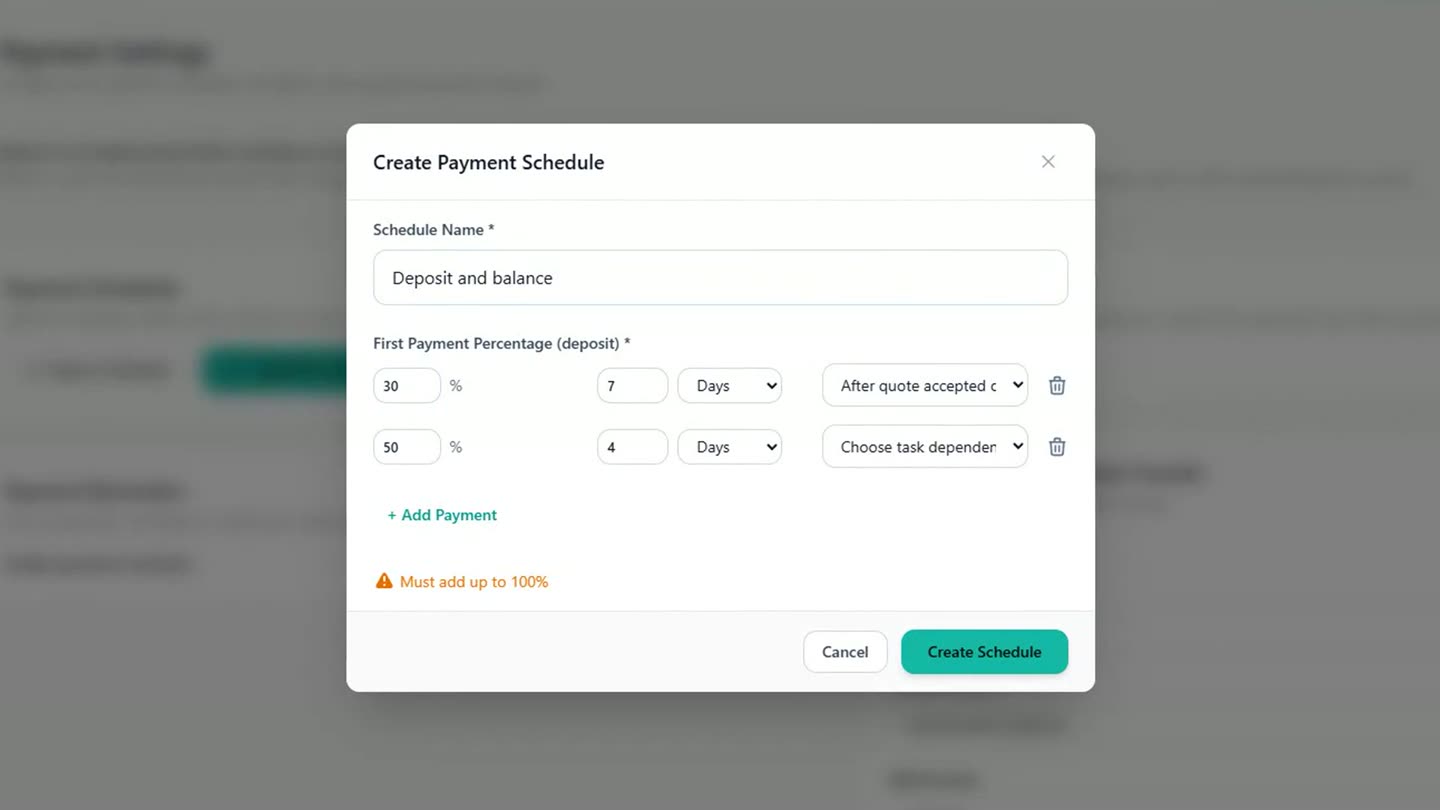
A payment schedule, set once in Payment Settings. -
Bank details set up once go straight onto every invoice, and Stripe can be connected if couples should be able to pay by card.
-
On a couple's quote, the ceremony carries GST, and the GST is worked out for you in the summary.
-
Choose the payment schedule, tick the box to raise the invoice automatically when the couple accepts, and send.
-
When they accept, the invoice is already there, split into the deposit and the balance, each with its own due date. Nothing is typed twice.
-
Sending the deposit invoice from its own menu shows what's due now and the celebrant's bank details, with the invoice number as the payment reference.
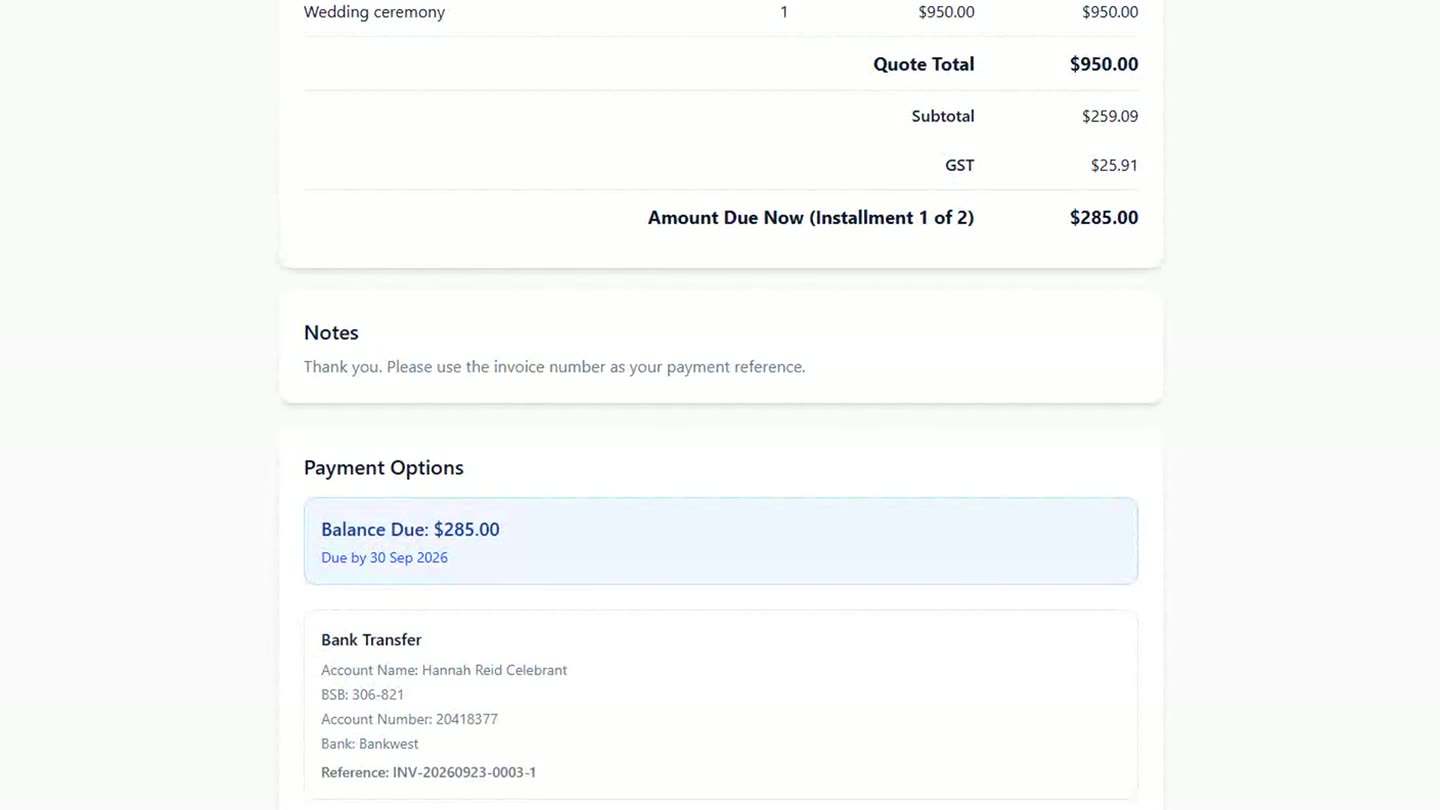
The deposit invoice, with the reference a couple needs to pay it. -
When the deposit lands in the bank, recording it takes a few seconds: the amount is filled in, bank transfer is already chosen, and it's matched to the invoice.
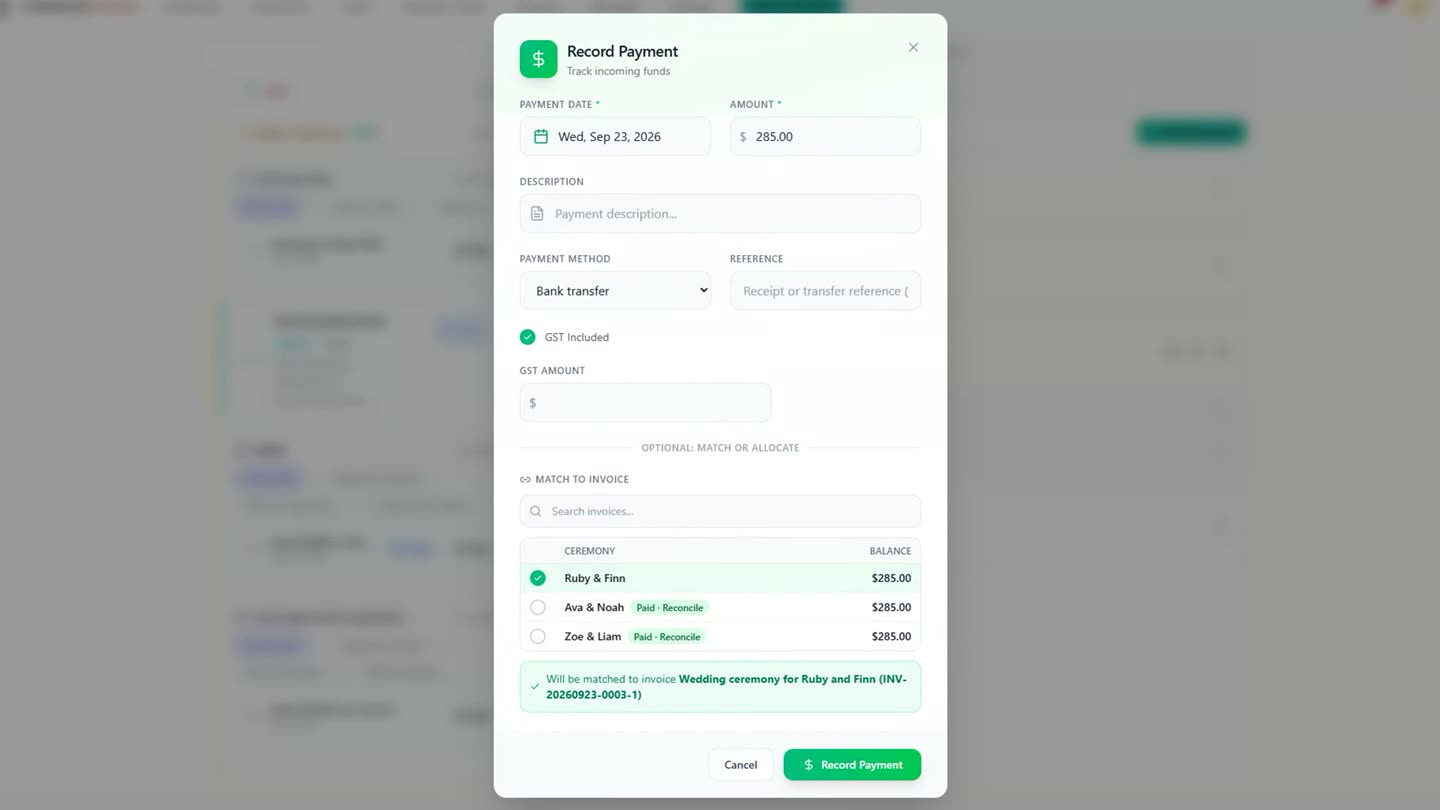
Recording a payment against the invoice it's matched to. -
The invoice shows part paid, then paid in full once the balance lands, and the final payment step on the workflow ticks itself off.
-
Across the business, the Finances page adds it all up: what's come in, what's still owed, and the GST on your invoices. At BAS time, the report sets the figures out by the labels on the form; you still lodge it yourself, with the numbers ready when you do.
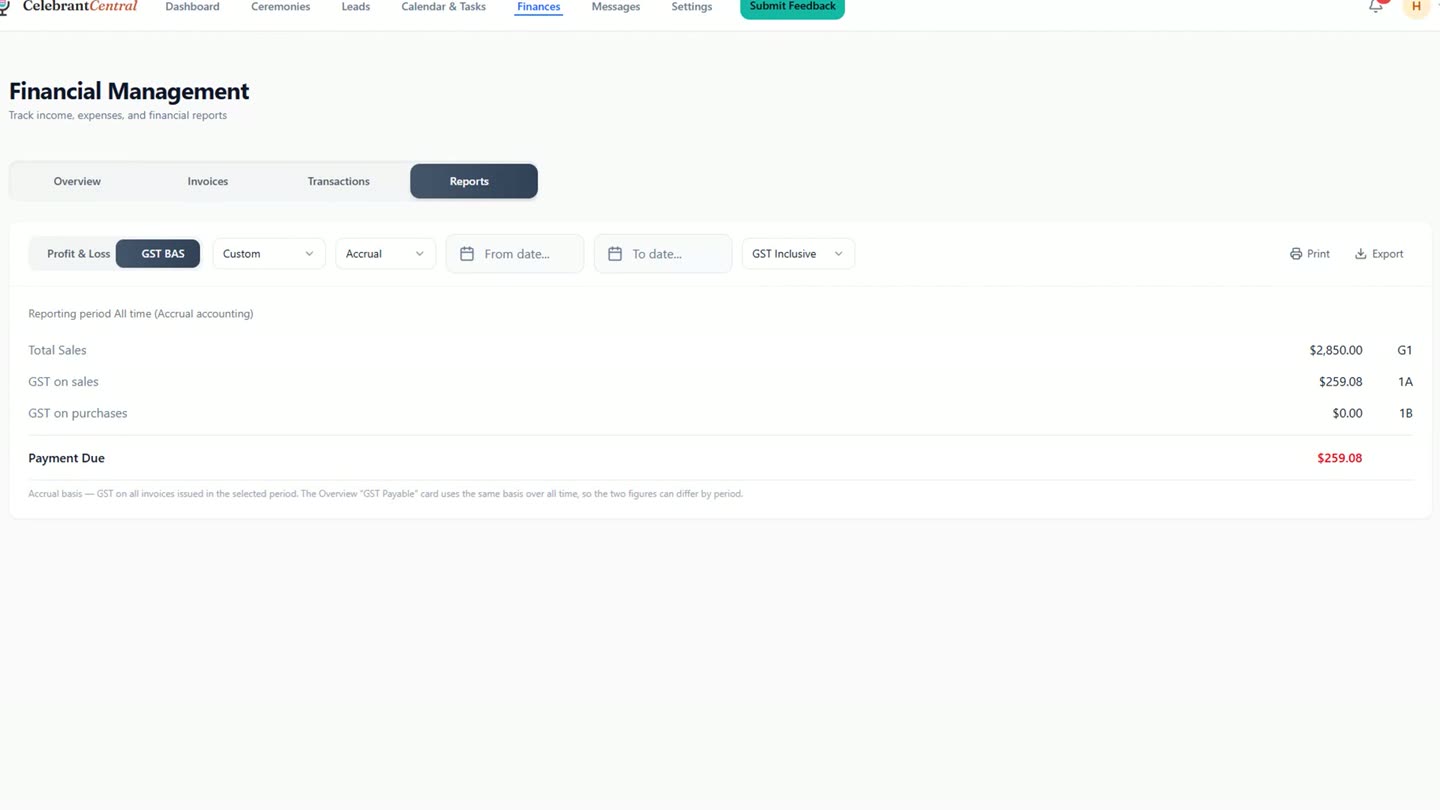
The GST BAS report, set out by the labels on the form.
Chapters
- 0:00Getting paid starts in Payment Settings
- 0:16Bank details, and Stripe if you'd like cards
- 0:25A quote with the GST worked out
- 0:39Accepted: the invoice is already there
- 0:46Sending and previewing the deposit invoice
- 0:58Recording payment as it lands
- 1:15Paid in full, the workflow ticks off
- 1:25Finances and the BAS report
Full transcript
Getting paid starts in one place. Payment Settings. Tell it how you like to be paid. A deposit of thirty per cent, a week after they accept. And the balance, four weeks before the day.
Your bank details are already here from setup, and they go on your invoices. If you'd like couples to pay by card, you can connect Stripe.
Now Ruby and Finn's quote. The ceremony, with GST included, and the GST worked out for you.
Choose the payment schedule. Tick the box to make the invoice when they accept. And send it.
When they accept, the invoice is already there. The deposit and the balance, each with its own due date. Nothing typed twice. Send the deposit invoice from its menu.
The invoice shows what's due now, and your bank details, with the invoice number as the reference.
When the deposit lands in your bank, record it. The amount's filled in, bank transfer is already chosen, and it's matched to this invoice.
The invoice shows it: part paid. And when the balance comes in, the same again. Paid in full. The final payment step on the workflow ticks itself off.
Their Finances panel says it plainly. Everything received, nothing outstanding.
Across the business, Finances adds it all up. What's come in, what's still owed, and the GST on your invoices.
At BAS time, the report sets the figures out by the labels on the form. You still lodge it yourself. The numbers are ready when you do.
Quote to paid, on one record.
Built for and by Australian marriage celebrants.
See it on your own ceremonies
Quote to invoice to paid, matched automatically as payments land. Free until the end of next month. No card needed.
Start free →