Every feature, filmed in the real app
Short films of Celebrant Central, one feature at a time, grouped in the order you'll use them: getting set up, winning the booking, running every ceremony, the legal paperwork, the couple's side and getting paid. Each has its own page with the steps, stills and the full transcript.
01Getting set up
 1:44
1:44Setting up
The few things Celebrant Central asks for before it gets out of your way: your business name and A number, GST and pricing, how couples pay you, your logo and email, filmed start to finish on a brand new account.
Watch it →Bringing your couples across
Film coming02Winning the booking
 1:06
1:06Contact forms
Built to catch enquiries from your own website, styled in your own colours, embedded with an iframe, a direct link or a line of JavaScript, and landing as a lead in your pipeline the moment someone sends it.
Watch it → 1:24
1:24Your first booking
Add the couple once, quote from your own services in one click, and let auto-booking turn their acceptance into a booked ceremony, an invoice and a legal paperwork timeline that is already ticking over.
Watch it →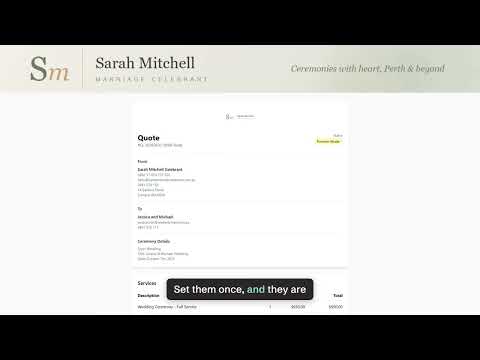 2:02
2:02Quote templates
Price your services and extras once, build the template around them, and every quote after that arrives branded, with the invoice, the service agreement and the booking form already lined up behind it.
Watch it →03Running every ceremony
 1:34
1:34Your first ceremony
Enter the couple's names, where, and the date, and it's booked the moment you save it. Every task before the day, and the whole legal list, arrives already dated from that one date, and moves when it moves.
Watch it → 1:39
1:39The ceremony hub
Notes, vendors, files, the couple's portal, the paperwork and the legal checklist, all on the one record for the one wedding, instead of a spreadsheet and a folder of tabs.
Watch it →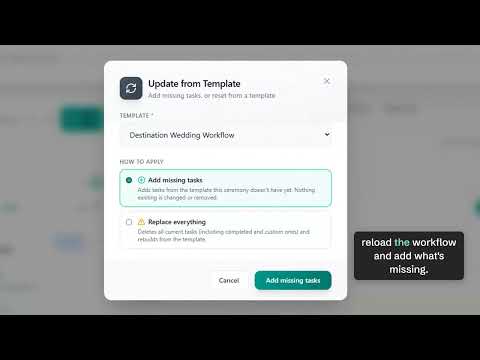
Workflows and due dates
Film coming 1:34
1:34Client communication
Every email to the couple, whether the celebrant sends it or the system sends it for her, and every message they send back, lands on the one ceremony page instead of a personal inbox.
Watch it →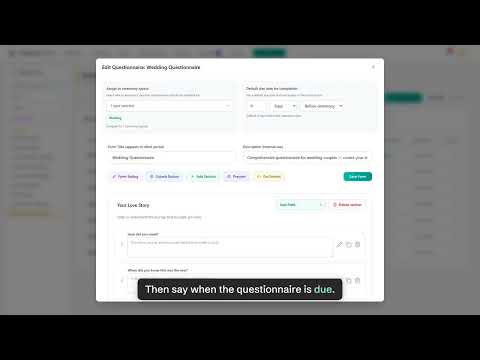 1:53
1:53Questionnaires and booking forms
Two forms, already written for you: a wedding questionnaire that covers the couple's story, and a booking form whose fields line up with what the Notice of Intended Marriage asks for, both landing back on the ceremony record.
Watch it → 2:52
2:52Email templates
A whole collection already written for you in Settings, sorted by where a ceremony is up to, editable until it sounds like you, and sent to a couple with their own details filled in, in one click.
Watch it →04The legal paperwork
 2:03
2:03The Notice of Intended Marriage
Sent to the couple, filled in by each of them in their portal, signed in front of a witness, and brought back for the celebrant to check, receive and mark as lodged, all on one ceremony record.
Watch it → 1:32
1:32Certificates and the register
The declaration, the Form 15 certificate from your own register, and the official certificate, each printed and marked from the ceremony record, then the fourteen days after the day counted for you.
Watch it →
