Legal paperwork · Part 1 of 2
How the Notice of Intended Marriage works in Celebrant Central
Sent to the couple, filled in by each of them in their portal, signed in front of a witness, and brought back for the celebrant to check, receive and mark as lodged, all on one ceremony record.
This film follows the Notice of Intended Marriage from send to received, on one ceremony record in the real app. It goes out to the couple as an email, each of them fills in their side in their portal with the actual Notice of Intended Marriage form updating as they type, they print and sign it in front of a witness, and it comes back to the celebrant to check, mark received and mark lodged in their own records. Sending the paperwork to the registry after the day is still the celebrant's job, and that is Part 2, The certificates and the register.
Step by step
-
The Notice of Intended Marriage sits on the ceremony record from the start, with its due date already worked out from the wedding date and flagged on the Legalities tab, where every legal step for the ceremony lives.
-
You send it to the couple from the ceremony, on the date the app worked out, or whenever you're ready. It goes out as an email with the request already written for you.
-
The couple opens their portal, where the Notice is waiting for them with why it matters spelled out. They choose the guided form, and the real Notice of Intended Marriage PDF fills in as they type: their names are already there from the booking.
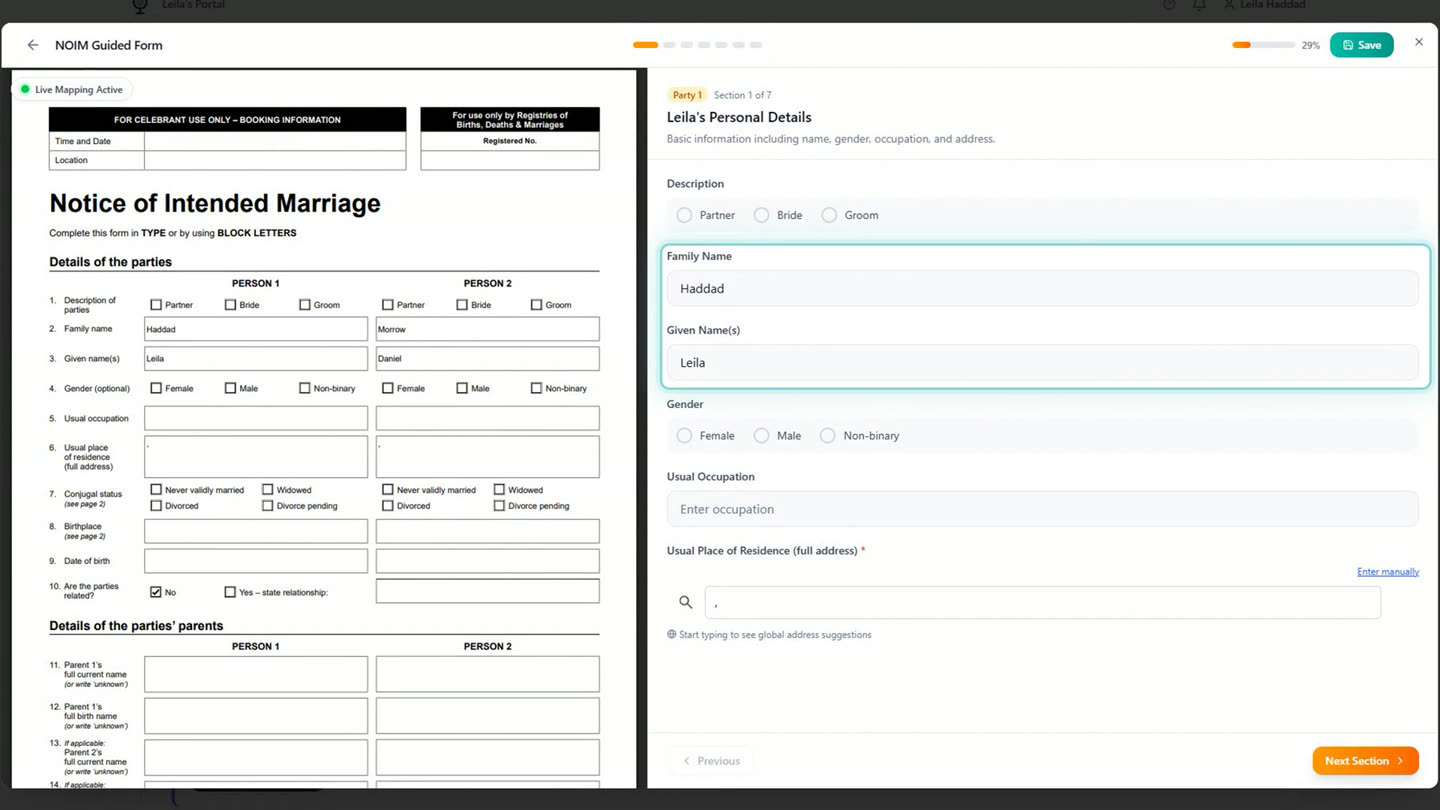
The couple's names are prefilled from the booking before they type anything. -
Each partner fills in the rest once: status, where and when they were born, their parents. They can stop and come back; the form saves as they go.
-
Once both have filled in their side, they answer the one question they answer together. Then they print the Notice and sign it in front of a witness. The app shows them exactly who is allowed to witness it.
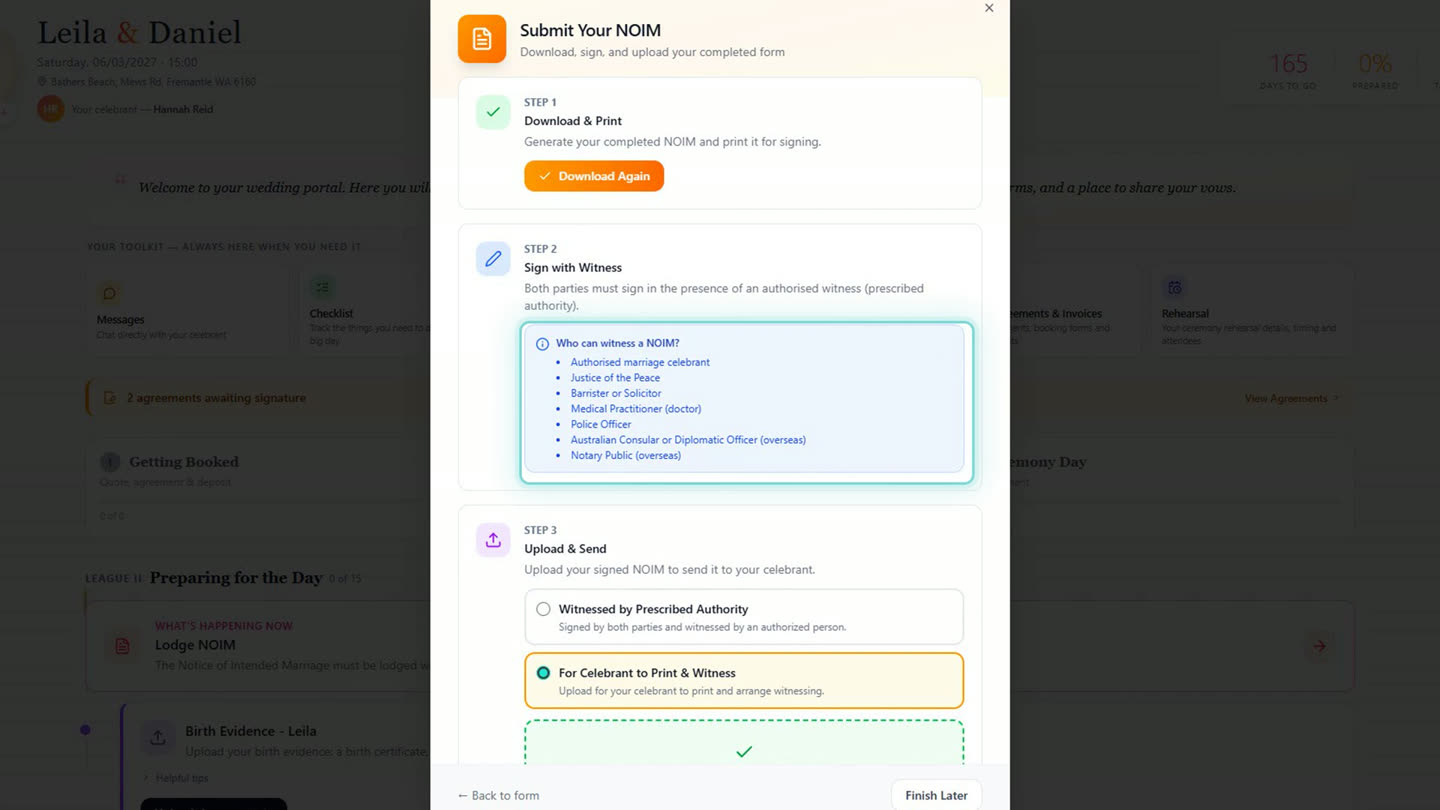
The witness list, shown to the couple before they sign. -
Or, if you are witnessing it yourself, they upload it for you to print and witness, and it is with you straight away.
-
Back with the celebrant, the uploaded Notice is flagged for review with the date it arrived, ready to open and check.
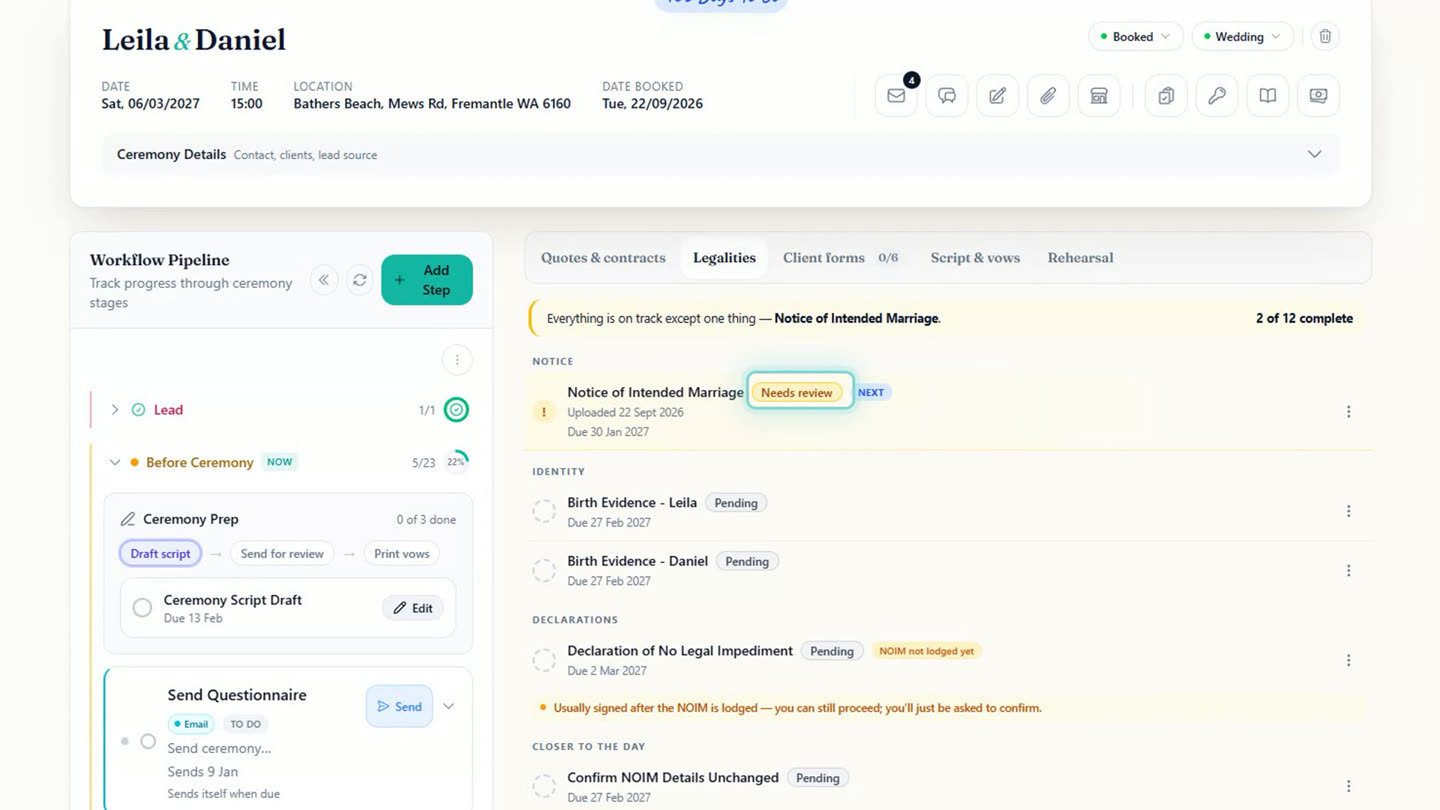
The Notice lands back on the Legalities tab, flagged for review. -
Once you've checked it, you mark it received, then mark it lodged once it's in your own records. The app keeps track of that status for you. Sending the paperwork on to the registry is still the celebrant's job to do, after the day.
Chapters
- 0:00Every legal step, on the ceremony
- 0:14Sending the Notice of Intended Marriage
- 0:30The couple's side: filling it in together
- 0:40The guided form, live as they type
- 1:24Printed and signed in front of a witness
- 1:35Back with the celebrant for review
- 1:45Marked received, then marked lodged
- 1:56Sign-off
Full transcript
The legal side of a marriage sits with you, personally. This is how the app carries it. Every legal step is already on the ceremony, dated from the day. The Notice of Intended Marriage first.
You send it on the date the app worked out, or now. It goes out as an email, with the ask already written for you. Send.
Now their side. They open their portal, and the Notice is waiting, with why it matters spelled out. Two ways to do it. The guided one fills the real form in as they type.
Their names are already there from the booking. The rest they type once, and it lands on the form in front of them. Status, where they were born, when. Their parents. They can stop here and come back. It saves. Daniel's side the same. Then the one question they answer together.
Then they print it, and sign it in front of a witness. The app tells them who counts. Or they send it to you to witness. Upload, and it's with you.
Back with you. It's flagged for review, with the date it arrived. Open it, check it.
You mark it received, then mark it lodged once it's in your records. The app keeps track. Sending the paperwork to the registry is still yours to do, after the day.
Built for and by Australian marriage celebrants.
See it on your own ceremonies
Notice of Intended Marriage, sent, filled in and tracked without leaving the ceremony record. Free until the end of next month. No card needed.
Start free →