Running every ceremony
How wedding questionnaires and booking forms work in Celebrant Central
Two forms, already written for you: a wedding questionnaire that covers the couple's story, and a booking form whose fields line up with what the Notice of Intended Marriage asks for, both landing back on the ceremony record.
Every couple brings two lists of questions: the ones about them, and the ones for the paperwork. This film follows both, on one ceremony record in the real app. The wedding questionnaire covers their story, the style of the day, the vows, the people involved and the music. The booking form gives the paperwork a head start, with fields that line up with what the Notice of Intended Marriage asks for, a convenience Celebrant Central built in rather than a legal requirement of the form itself. Style both once, send the couple a page instead of an email thread, and their answers land back on the ceremony beside the rest of their paperwork.
Step by step
-
Every couple brings two lists of questions: about the couple themselves, and for the paperwork the wedding needs. Celebrant Central turns both into forms that are already written for you.
-
The wedding questionnaire opens in Settings as a template you can start with as it is, or make your own, with sections covering their story, the style of the day, the vows, the people involved in the ceremony and the music.
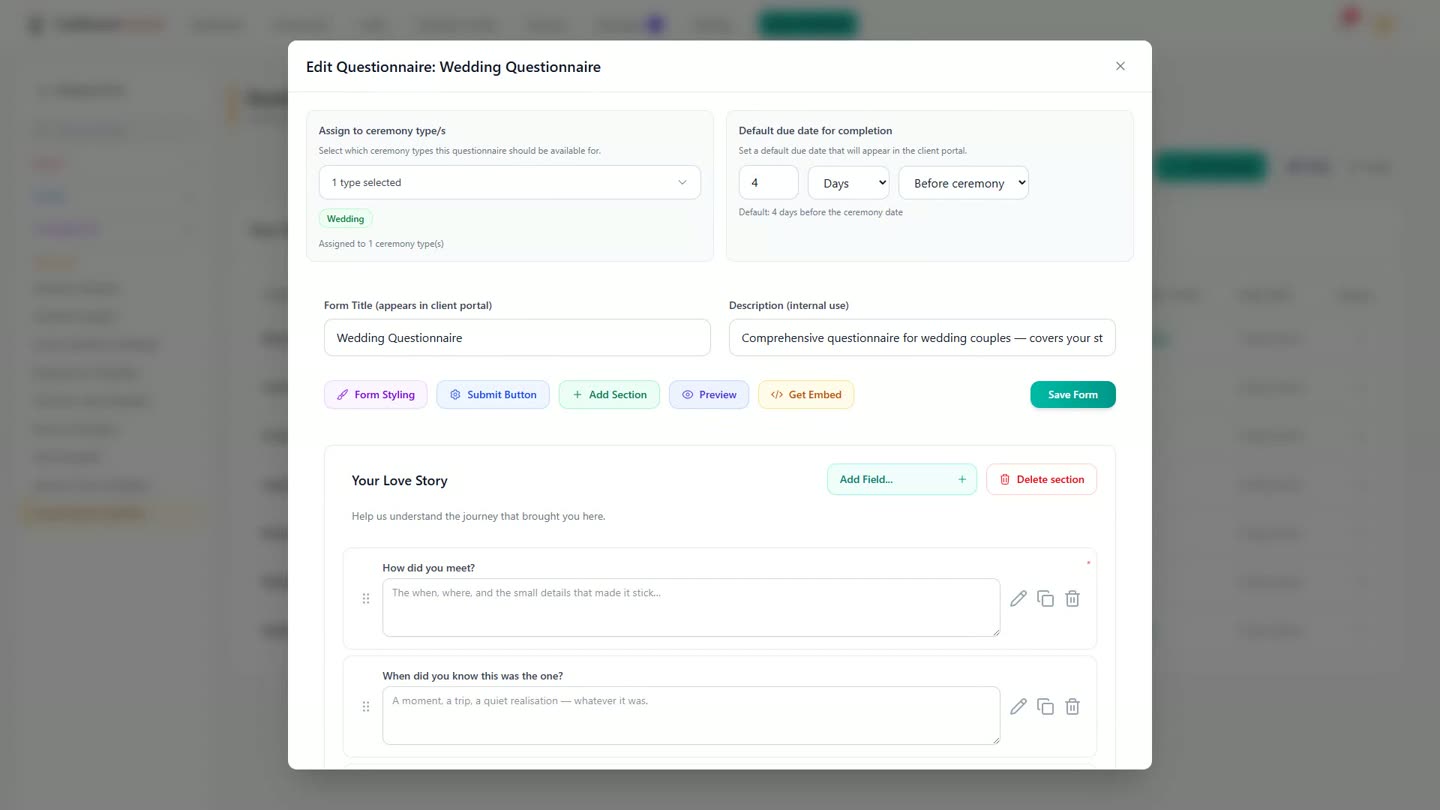
The questionnaire builder, open on the Wedding Questionnaire template. -
Every question is yours to change. Add one of your own to any section, and pick what kind of answer you want back, from a short line of text through to a dropdown or a date.
-
Set the questionnaire's due date relative to the ceremony too, for example four days beforehand, rather than a fixed date you have to remember to send it by.
-
The booking form is the one built for the paperwork. Its fields line up with what the Notice of Intended Marriage asks for: dates and places of birth, occupations, and both sets of parents, including where they were born. That is not a legal requirement of the form, just a nice touch Celebrant Central built in, and the form says so itself, right on the field.
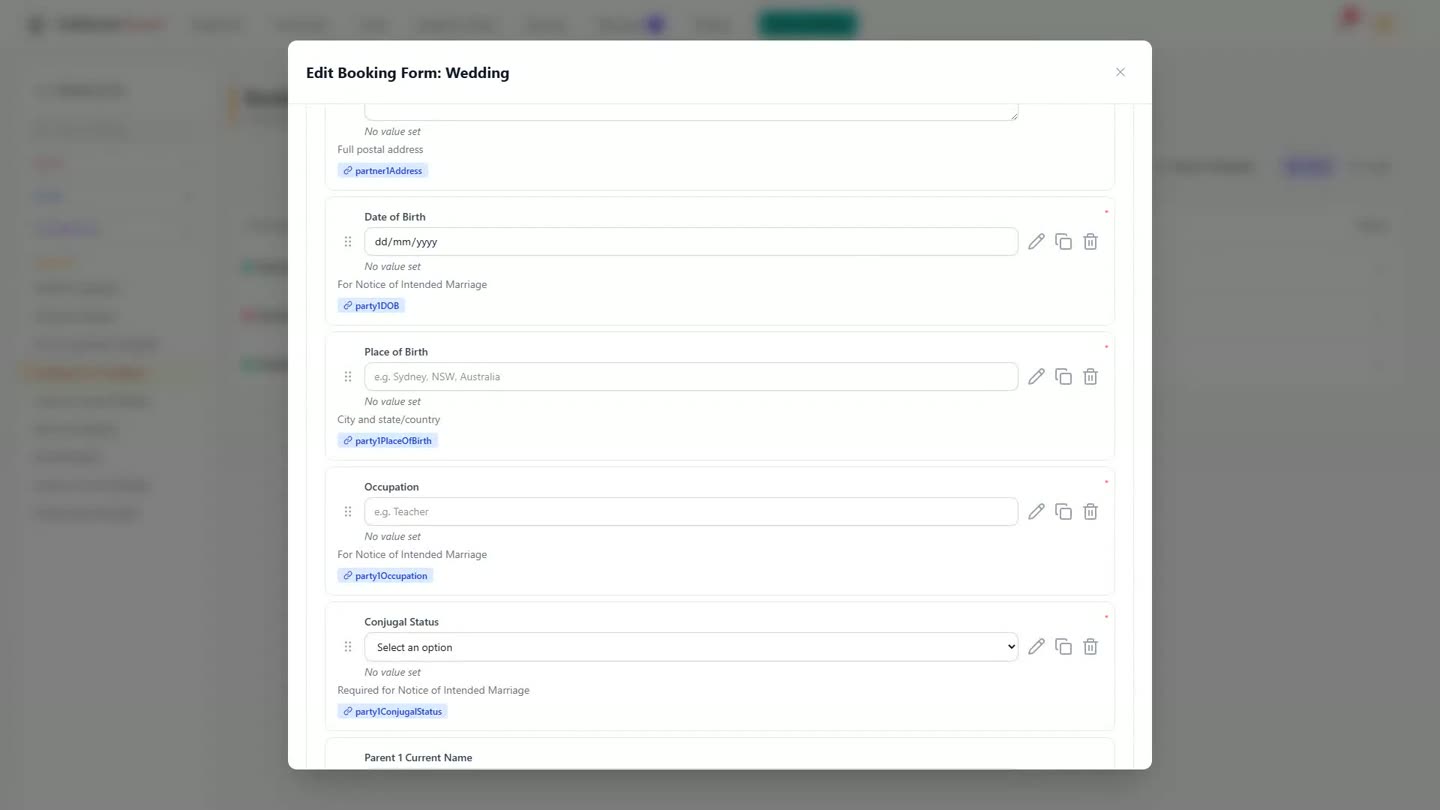
The booking form's own helper text on the Date of Birth and Occupation fields. -
Ask the couple as much or as little as you like. More questions sit ready to switch on if a couple needs them, without cluttering the form for everyone else.
-
Style both forms once, in your own fonts, colours and logo, from a preview that keeps up as you change settings.
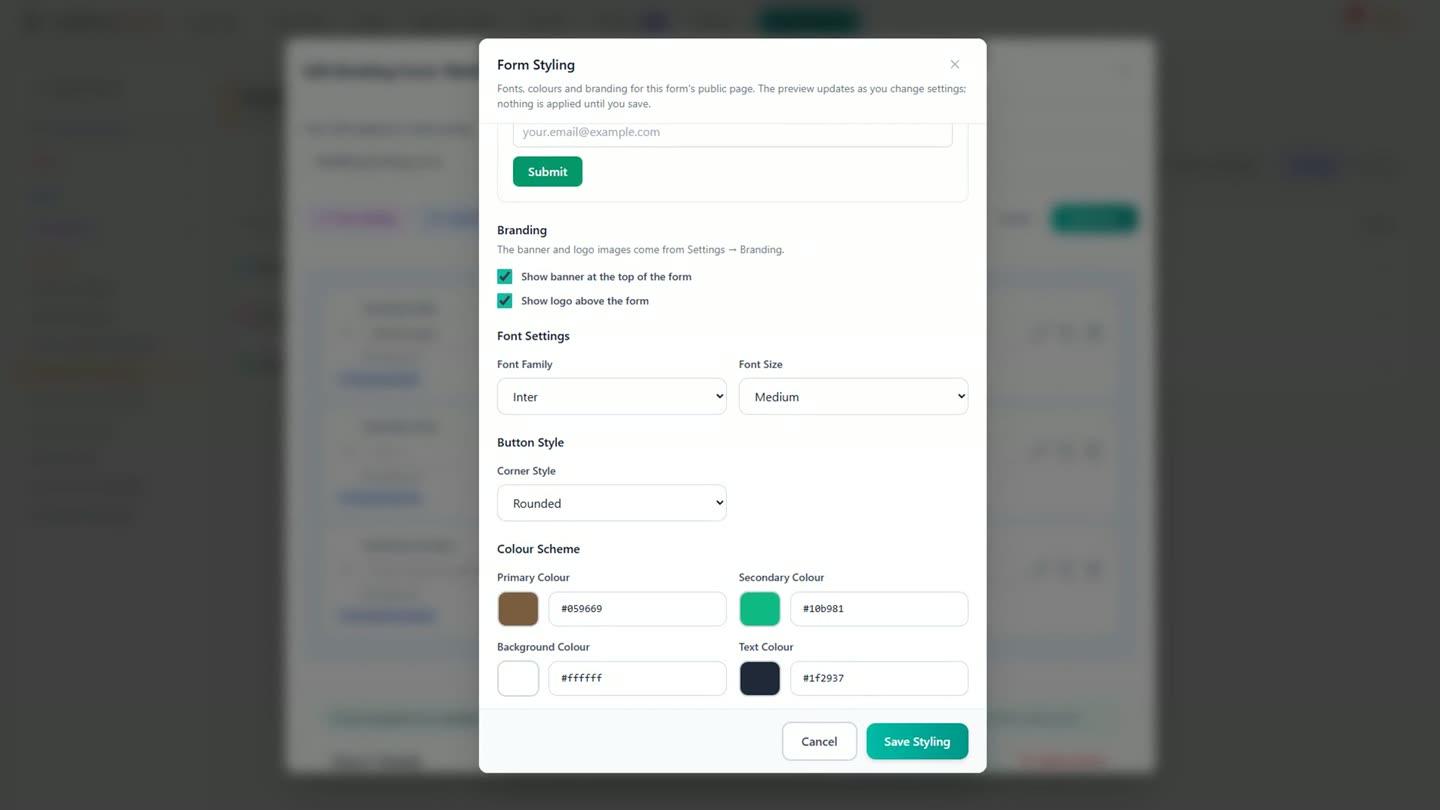
One styling editor for both forms, with a live preview. -
The couple get a page to fill in once, when it suits them, instead of an email thread. Their answers land back on the ceremony's Client forms tab, where every questionnaire and booking form for that couple lives, beside the rest of their paperwork.
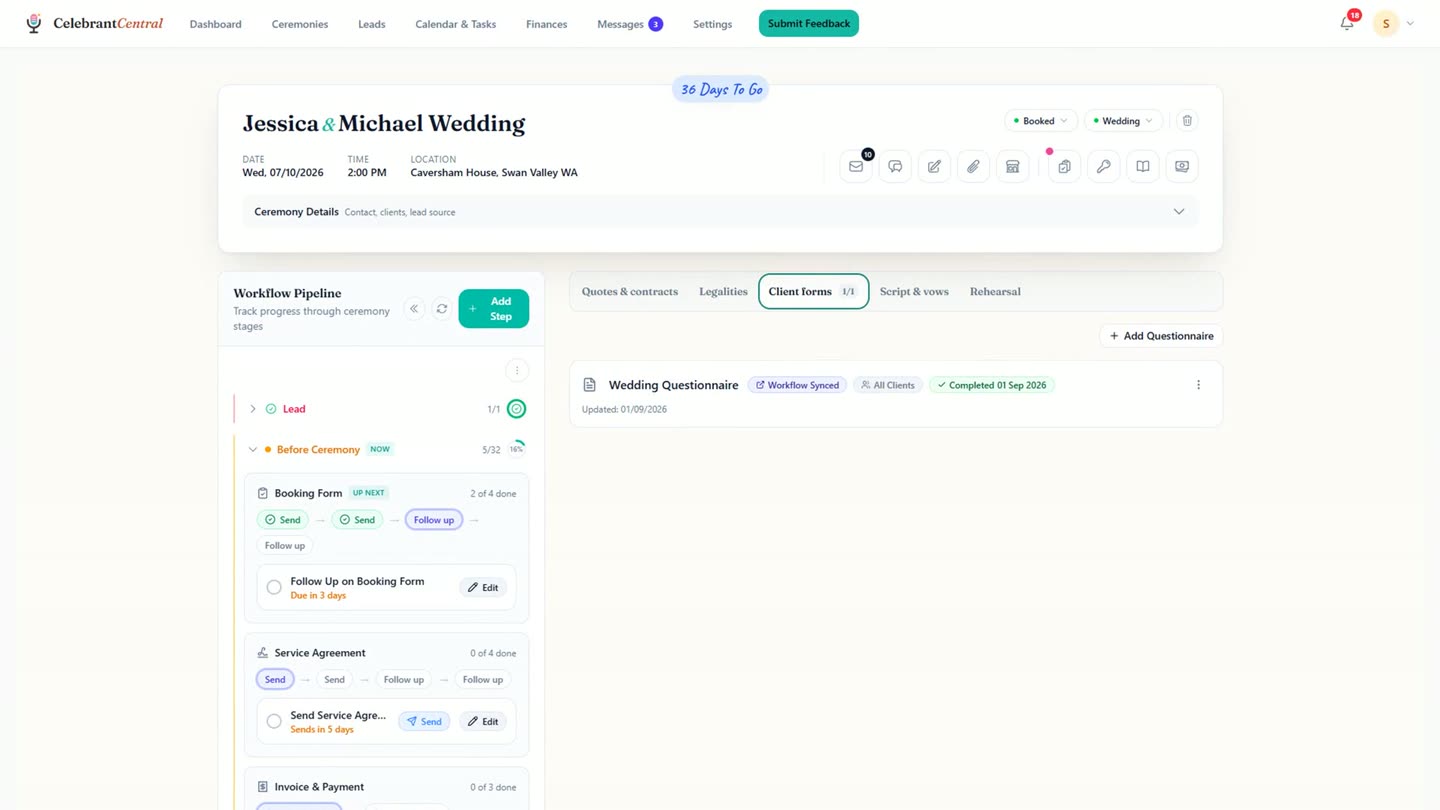
The completed questionnaire, back on the ceremony's Client forms tab.
Chapters
- 0:00Two lists of questions, one form each
- 0:14The wedding questionnaire, ready to start
- 0:18Sections covering the whole day
- 0:31Add your own questions and answer types
- 0:36A due date that arrives on its own
- 0:44The booking form, and what it lines up with
- 1:03On the field itself: for the Notice of Intended Marriage
- 1:08More questions, ready when needed
- 1:11Style both forms once
- 1:20A page for the couple, not an email thread
- 1:27Answers back on the ceremony
- 1:39Sign-off
Full transcript
Every couple brings the same two lists of questions. The ones about them, and the ones for the paperwork. And Celebrant Central turns them into tidy lists.
You can start with one created for you or create your own. Eight sections. Their story, the style of the day, the vows, the people in the ceremony, the music.
Every question is yours to change. Add one of your own, and pick what kind of answer you want back.
Then say when the questionnaire is due. Four days before the ceremony, not a date you have to remember.
The second form is the booking form. Its fields line up with what the Notice of Intended Marriage asks for. Dates and places of birth, occupations, and both sets of parents, including where they were born.
Not a rule, just a nice touch we built in. The form says so itself, on the field.
Ask as much or as little as you like. Eight more sit ready when you want them.
Style both forms once. Your fonts, your colours, your logo, and a preview that keeps up.
The couple get a page, not a thread. They fill it in once, when it suits them.
And the answers come back on their ceremony, beside the rest of their paperwork. Everything you asked for, in one place, before you write a word of the ceremony.
One form for the wedding they want. One that gives the paperwork a head start. Both already written.
Built for and by Australian marriage celebrants.
See it on your own ceremonies
Two forms, already written, with the booking form lined up toward the Notice of Intended Marriage. Free until the end of next month. No card needed.
Start free →