Running every ceremony
How the ceremony hub works in Celebrant Central
Notes, vendors, files, the couple's portal, the paperwork and the legal checklist, all on the one record for the one wedding, instead of a spreadsheet and a folder of tabs.
This film walks one wedding, Mei and Jack's, through the ceremony hub in the real app: the single page a celebrant works from between the booking and the day. Across the top sits everything about the couple. Down the left, the workflow pipeline carries every task still ahead. On the right, the paperwork. Below that, the legal checklist. And on the couple's own side, their portal, feeding straight back into the same record.
Step by step
-
Open a ceremony and it is one page: the couple's names, the date, time and venue, and how long until the day, all in the header.
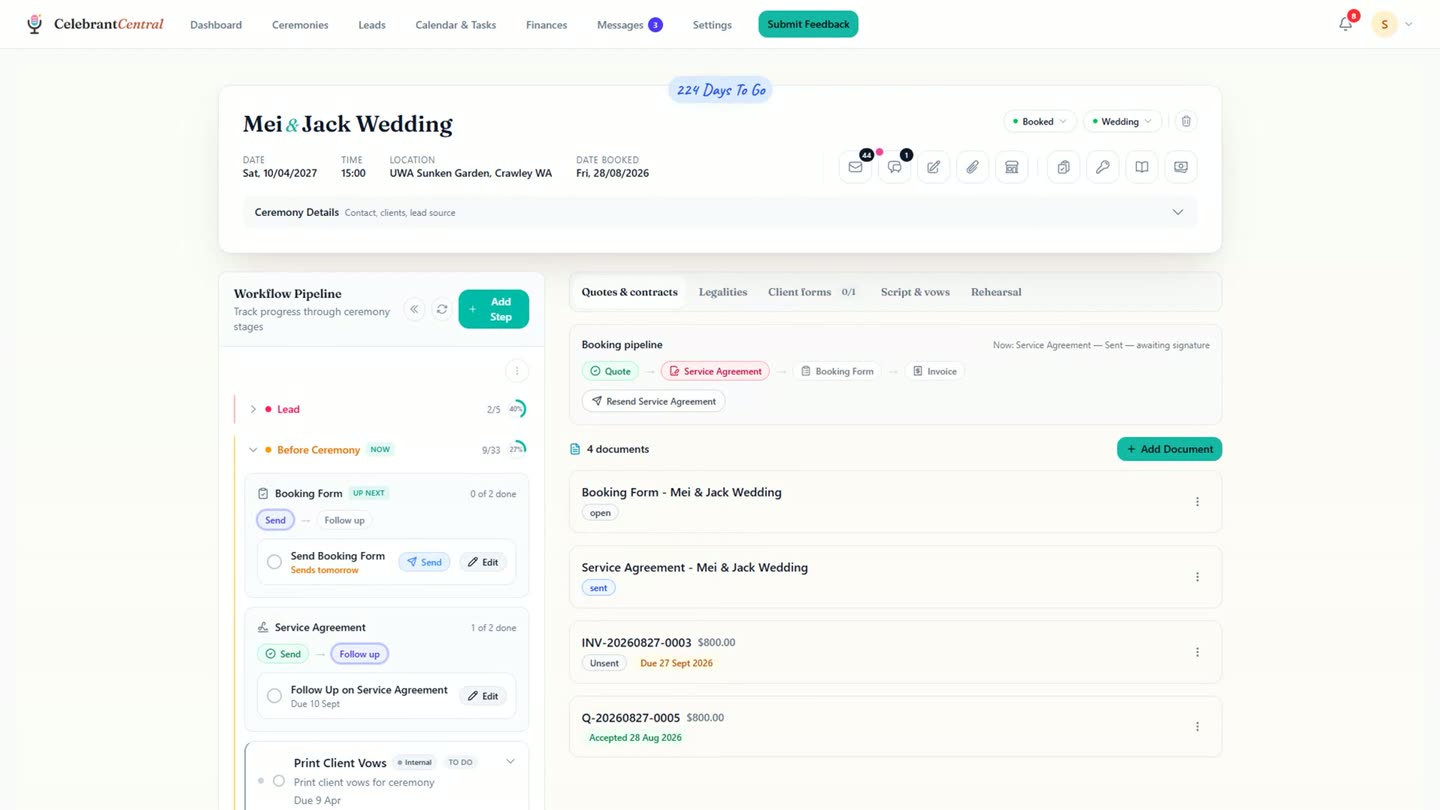
The hub for one ceremony: header, workflow pipeline and paperwork tabs in one view. -
Across the top of the page sits everything about the couple: notes only the celebrant can see, the vendors working the day, files moving both ways, and their portal.
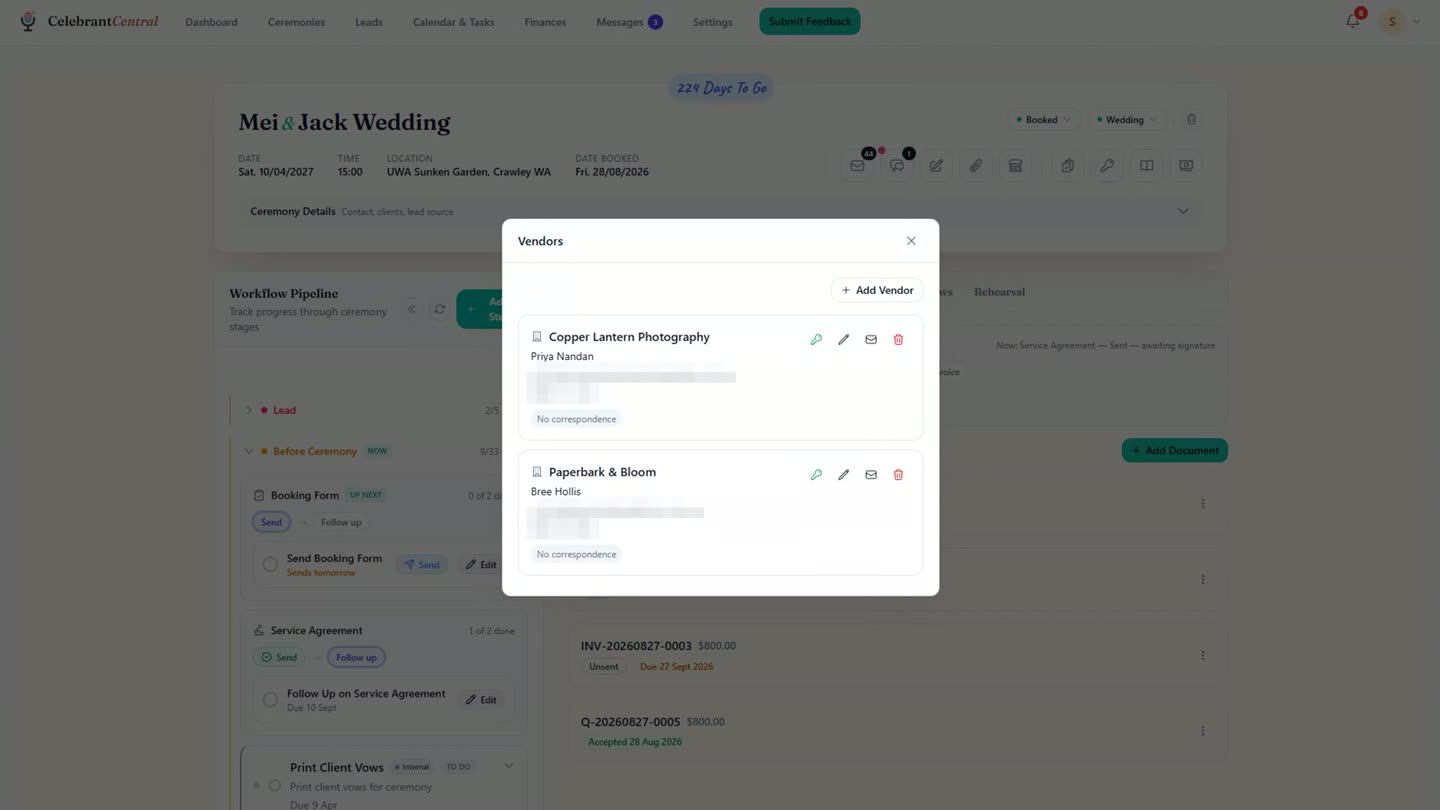
The Vendors panel, opened from the top of the ceremony page. -
Down the left is the workflow pipeline, the column that carries every task still ahead of the day, each one dated, in the order they come.
-
Some of that pipeline sends itself. The Booking Form follow up carries a "Sends tomorrow" badge: nothing to click, it goes out on its own.
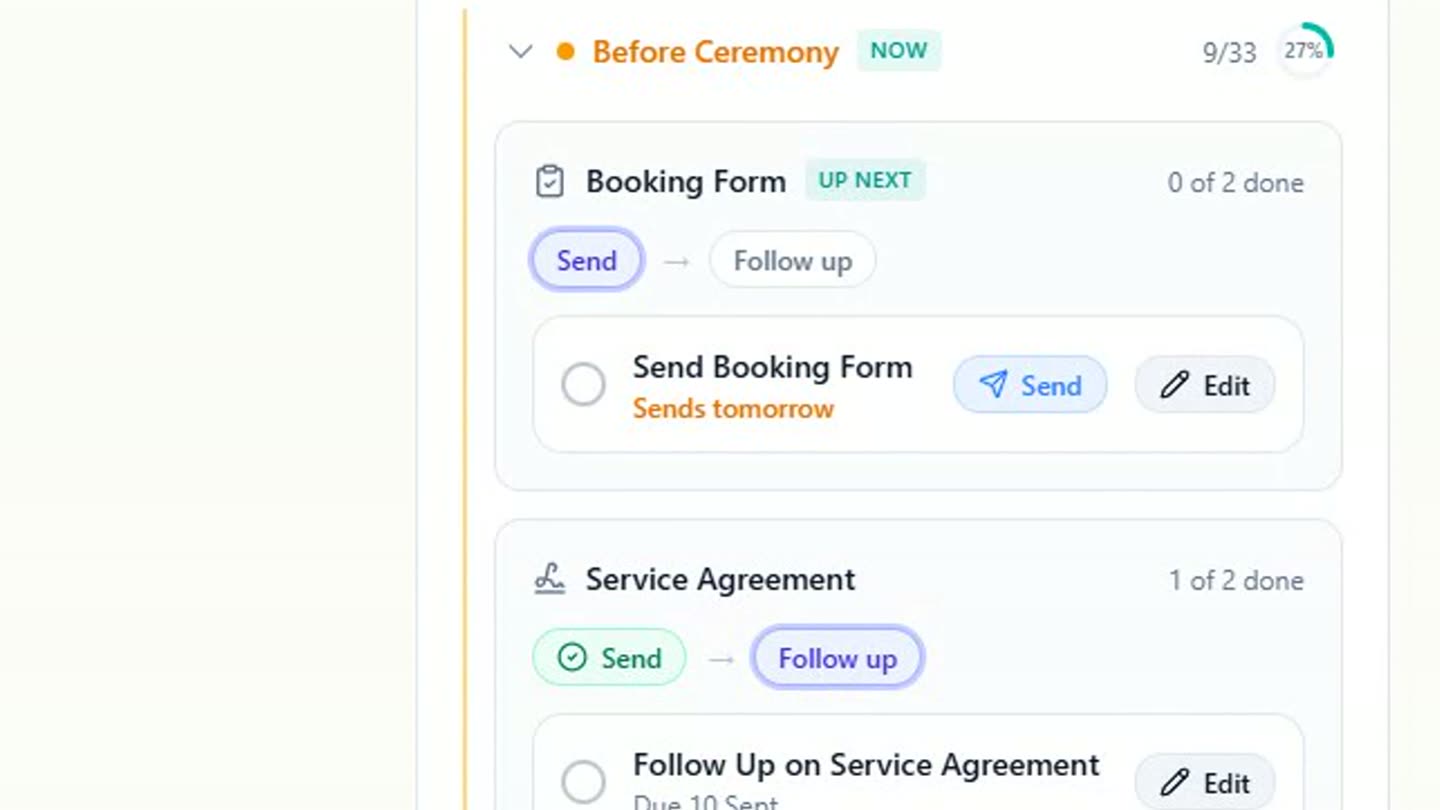
The Booking Form step, with its follow up set to send on its own. -
On the right is the paperwork, in the order a wedding actually happens: the quote the couple accepted, the agreement waiting on a signature, and the invoice, already generated for you.
-
Then the Legalities tab, where every legal step for the ceremony lives, grouped the way the law works and each one carrying its own due date. The app's own line for this ceremony shows what is complete and what is not, with the Notice of Intended Marriage the one item still outstanding.
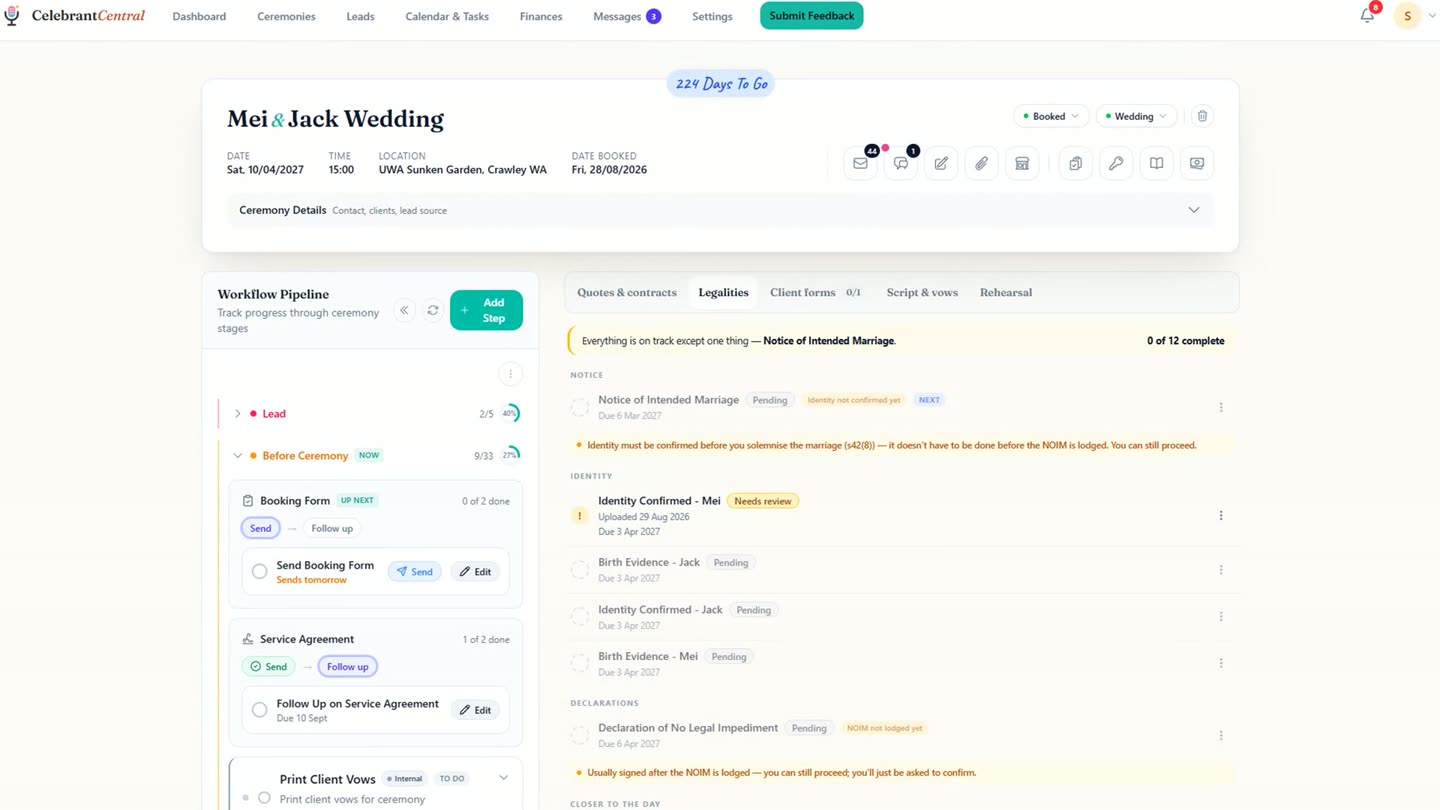
The Legalities tab: the whole legal checklist, dated, with the Notice of Intended Marriage still outstanding. -
None of it is one sided. The couple has their own page, their portal, and when they send something back, such as an identity document, it lands back on this same ceremony, flagged for the celebrant to review.
-
One wedding, whole, in one place. Most of the paperwork looks after itself, and what's left is the part only the celebrant can do.
Chapters
- 0:00One wedding, one page
- 0:11Everything about the couple
- 0:23The workflow pipeline
- 0:45The paperwork, in order
- 0:56The legal checklist
- 1:11What the couple sees
- 1:31Sign-off
Full transcript
This is one wedding in Celebrant Central. Not a folder. Not a spreadsheet. One page, and everything about the day lives on it.
Across the top, the couple's whole world. Notes only you can see. The vendors working the day. Files, both ways. And their portal, live.
Down the left is the part that does the work. All the tasks to get them to the day, and it knows which one is next. Each step carries its own date. The booking form. The agreement follow up. The final payment. The script. And some of it you never touch at all.
On the right, the paperwork, in the order a wedding actually happens. The quote they accepted. The agreement waiting on a signature. The invoice that wrote itself.
Then the part that makes this Australian. Twelve legal items, grouped the way the law works, every one with a date. Right now, one thing is outstanding. The Notice of Intended Marriage.
And none of this is one sided. The couple has their own page, and when they send something back, it lands exactly where it belongs.
This is one wedding, whole, in one place. Most of the paperwork looks after itself, and what is left is the part only you can do.
Built for and by Australian marriage celebrants.
See it on your own ceremonies
One wedding, one page: notes, vendors, files, the paperwork and the legal checklist, all in one place. Free until the end of next month. No card needed.
Start free →