The legal paperwork
How to fill in your BDM form from your ceremony record
You've already entered the couple once. The BDM Form Prefill extension fills your state registry's form from that record, and you check it and submit it yourself.
This film follows a finished wedding into the real New South Wales eRegistry, with a fictional couple. The extension fills the form from the ceremony record: the date and place, both parties, their parents, identity details and witnesses. It never presses Save or Submit. You review every section, add anything it left for you, attach your documents and submit it yourself. Nothing in the film was submitted.
Step by step
-
The wedding is over, and you have one legal job left: getting the marriage to the registry within fourteen days. Legalities shows it as Submit paperwork to BDM, with its due date.
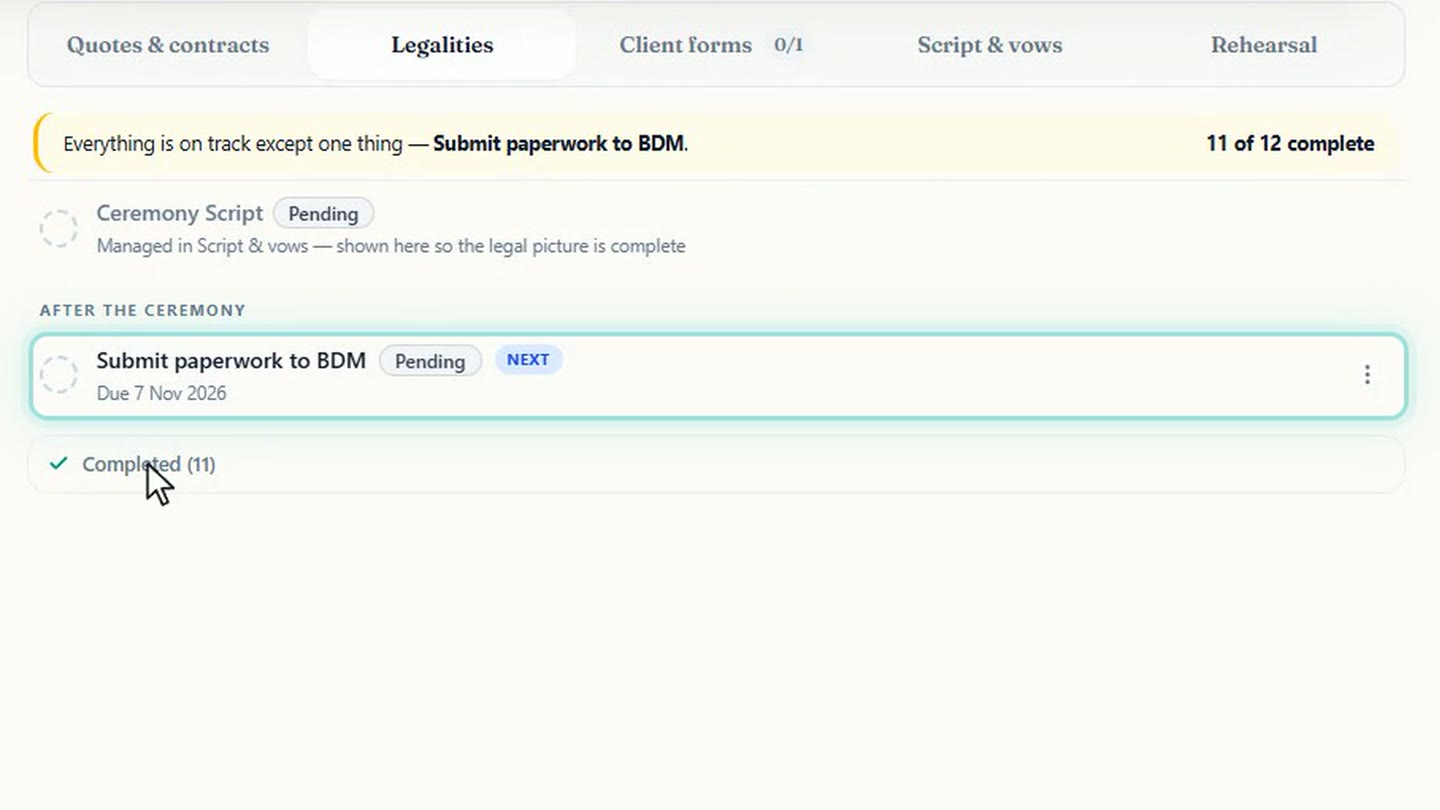
The one legal job left on this wedding, with its due date. -
Celebrant Central already holds most of what the registry asks for. Names, birthplaces, parents, witnesses: you've entered it all for this ceremony.
-
Setup is a one-off. In Settings, under Integrations, add BDM Form Prefill to Chrome, connect it, and sign in.
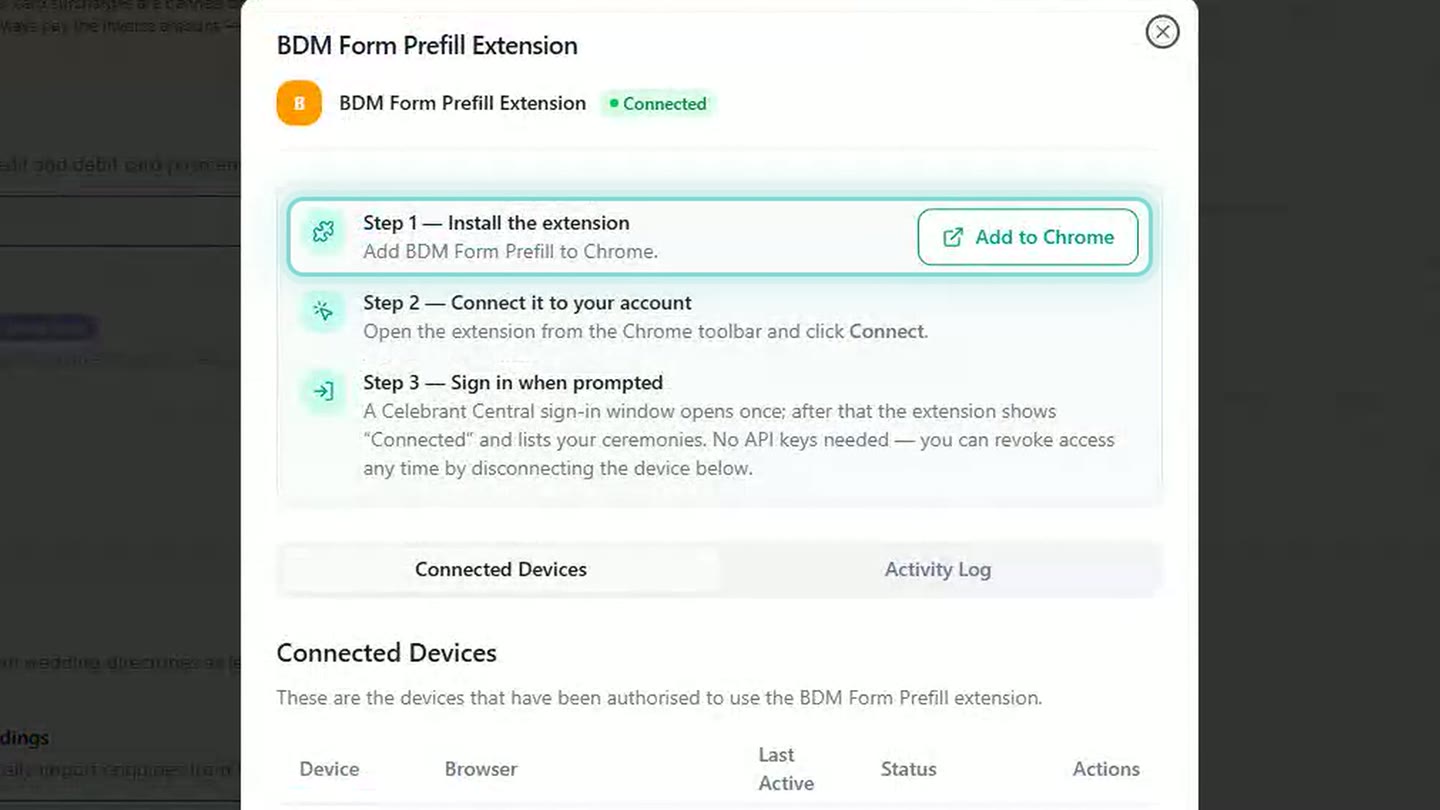
Install it, connect it, sign in once. -
Open your state's portal and start a new registration as you normally would. Click the extension, and you'll see a list of your finished ceremonies.
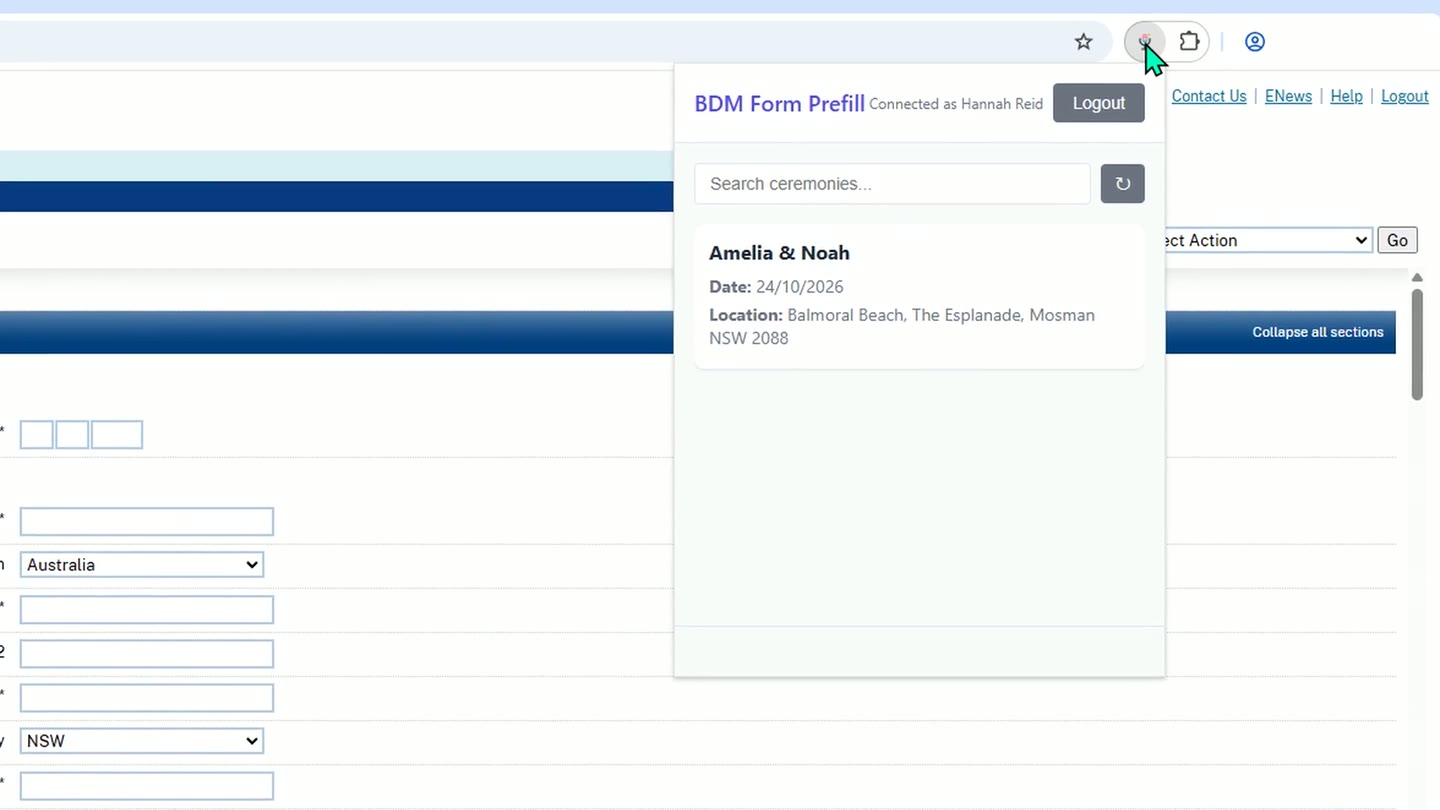
Your finished ceremonies, over the registry's empty form. -
Pick the couple, check it's the right record, then click Prefill Form and confirm.
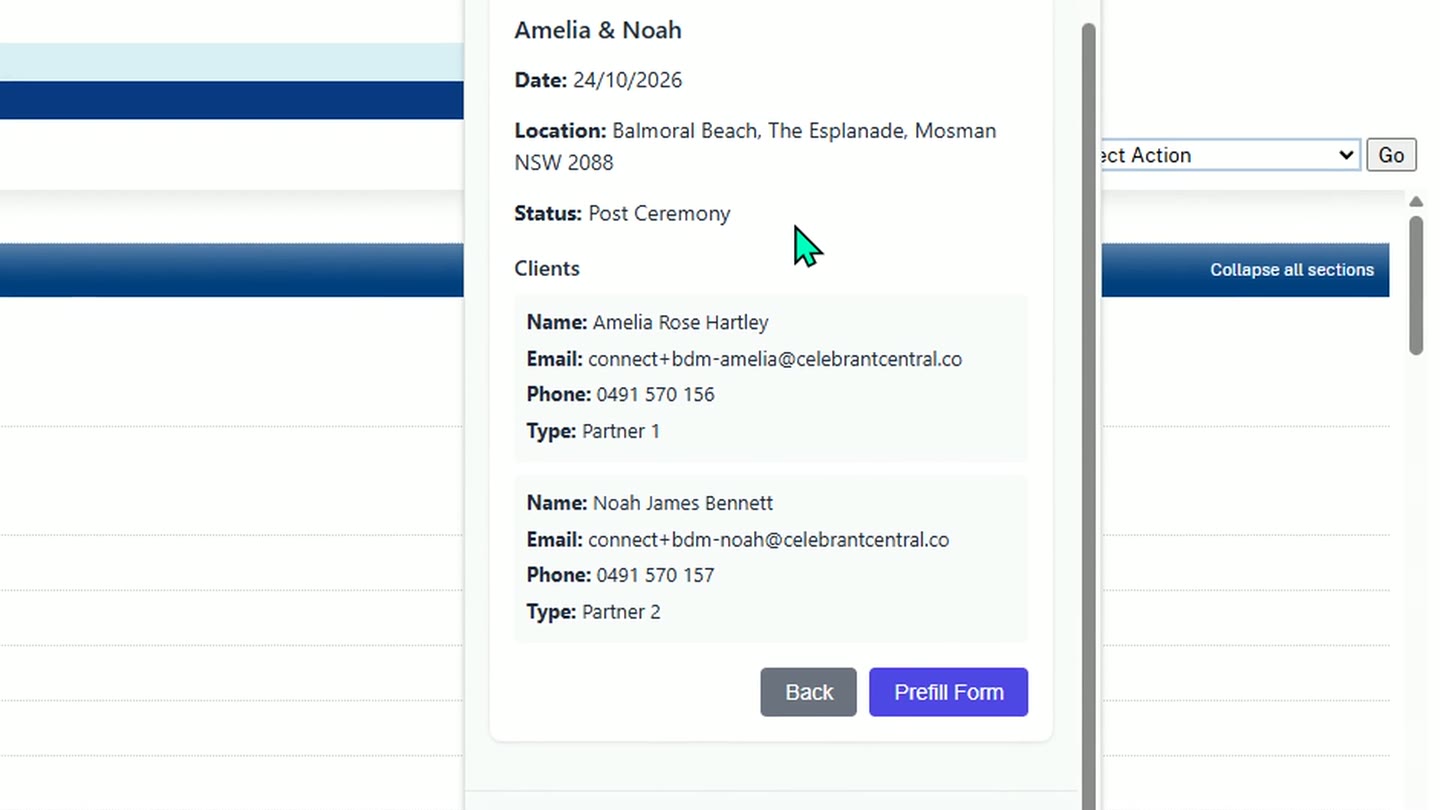
The record, before anything fills. -
The extension fills the form from the ceremony record: the date and place, both parties, their parents, identity details and witnesses. In New South Wales it fills one field at a time, so allow a couple of minutes and keep the tab open.
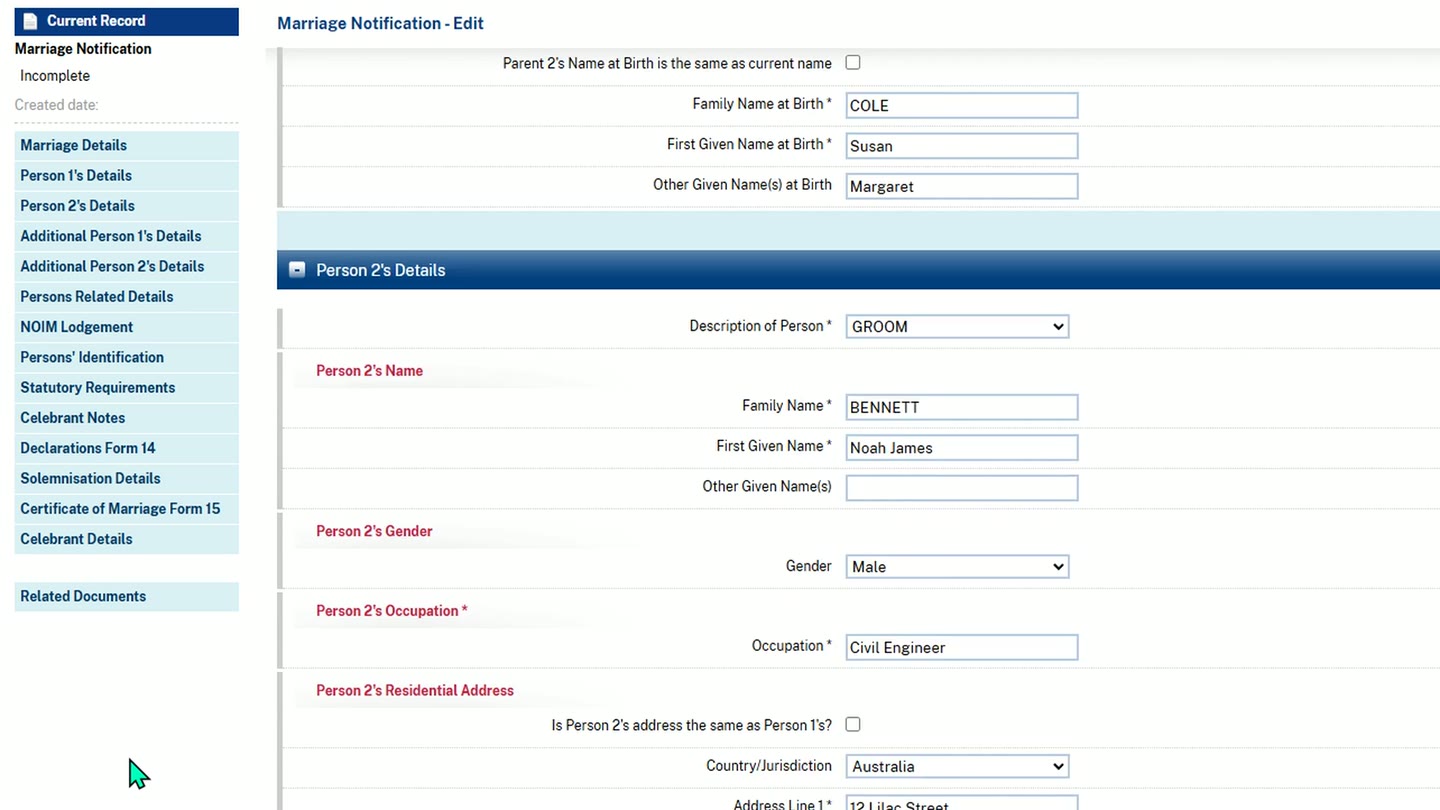
The registry's own form, filled from the ceremony record. -
It never presses Save or Submit. You review every section, including the signing and declaration answers it has marked Yes, and change anything that needs correcting.
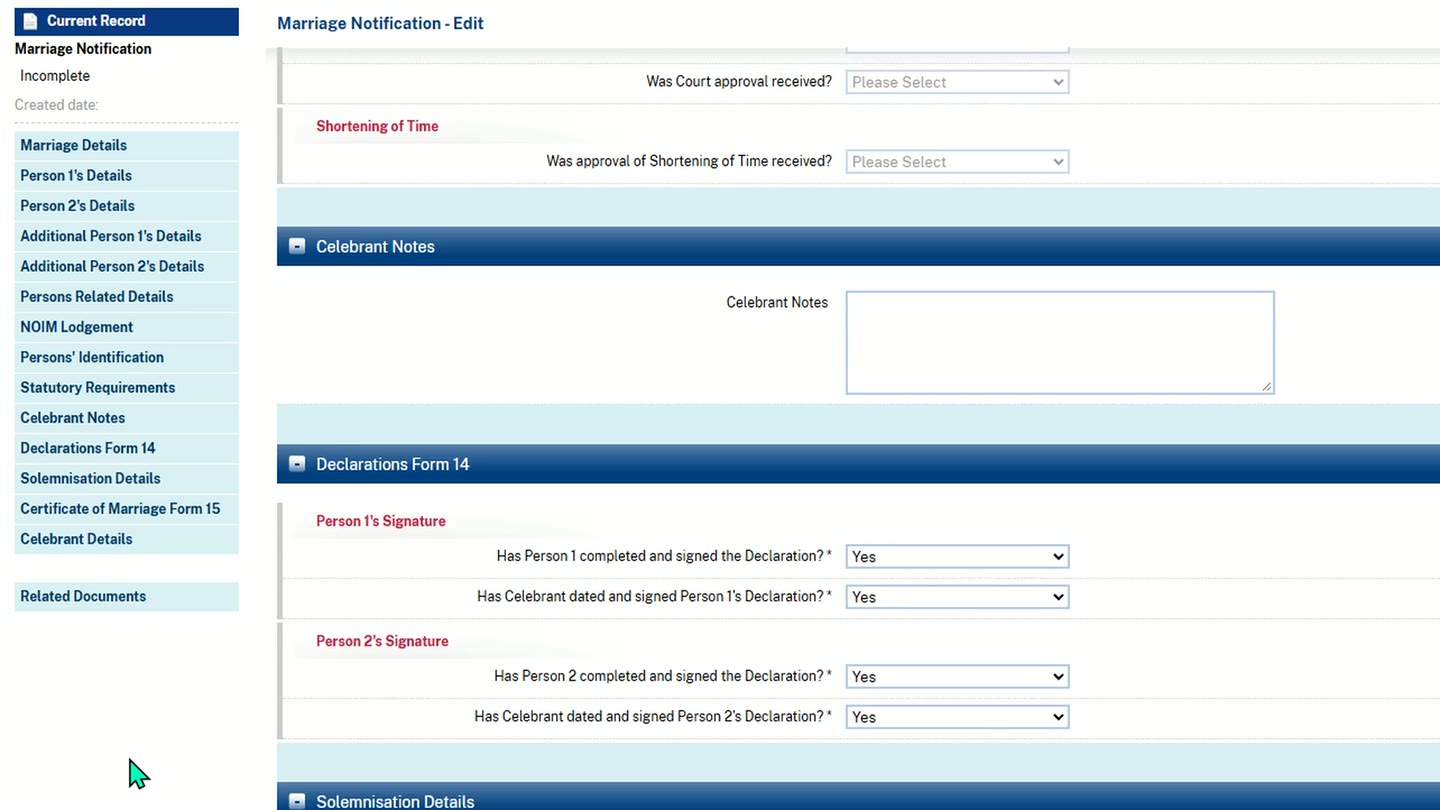
The answers it has marked Yes are yours to check. -
Then add anything it left for you, attach your documents, and submit it yourself.
-
Back in Celebrant Central, mark the paperwork as submitted, choosing how and when you submitted it, and the last legal job for this wedding is done.
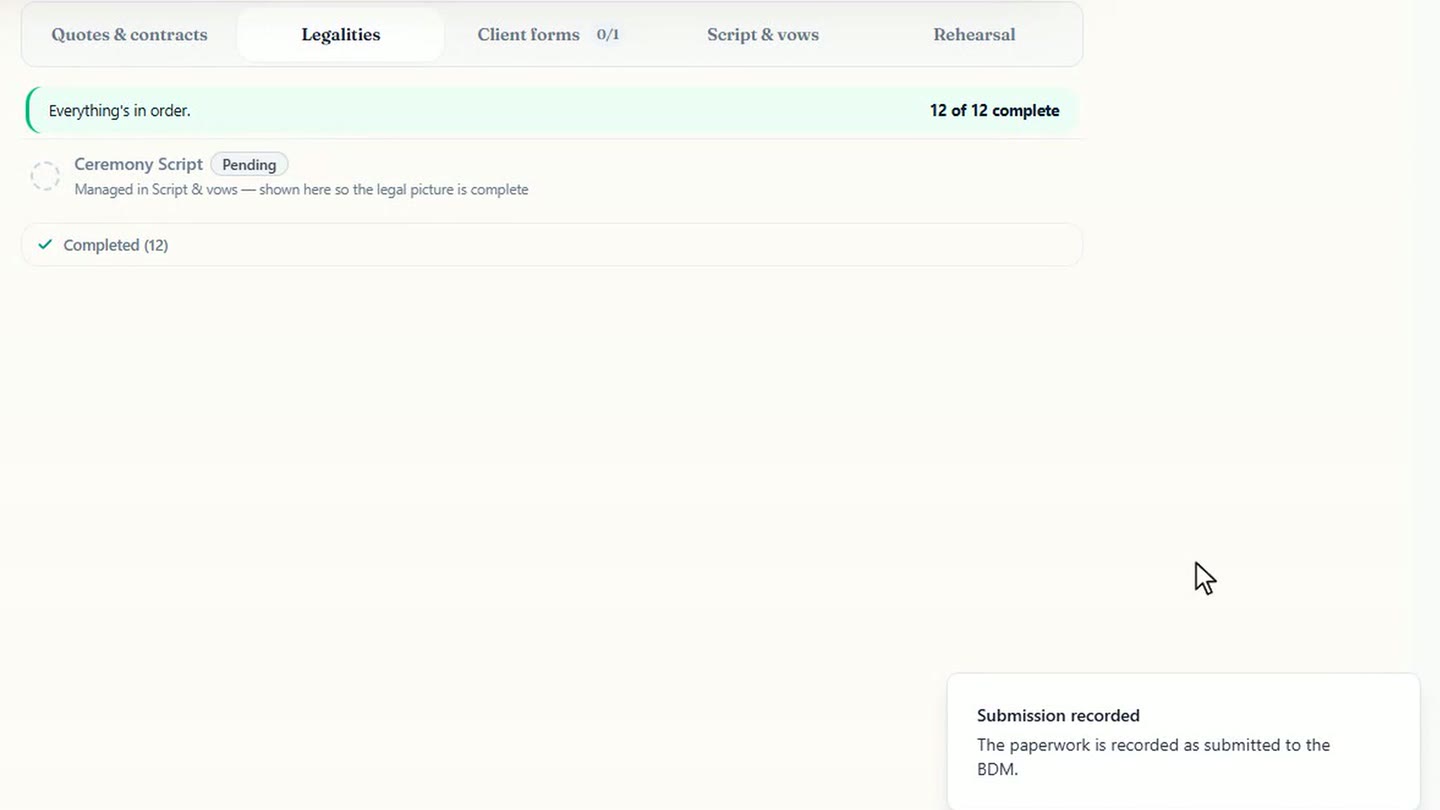
Recorded as submitted.
Where it works
BDM Form Prefill is live in all six states: New South Wales, Victoria, Queensland, Western Australia, South Australia and Tasmania. It isn't available in the ACT or NT.
Chapters
- 0:00The last legal job
- 0:18The registry's form starts empty
- 0:28Set it up, then pick the couple
- 0:55The extension fills the form
- 1:18Review it and submit it yourself
- 1:39Mark it submitted, and where it's live
Full transcript
The wedding is over, and you have one legal job left: getting the marriage to the registry within fourteen days.
Celebrant Central already has the information the registry needs. Names, birthplaces, parents, witnesses: you've entered it all for this ceremony.
But the registry's form starts empty. Section after section, field after field, each one another chance to mistype a name on a legal record.
Setup is a one-off. In Settings, under Integrations, add BDM Form Prefill to Chrome, connect it, and sign in.
Now open your state's portal and start a new registration as you normally would. Click the extension, and you'll see a list of your finished ceremonies.
Pick the couple, check it's the right record, and confirm.
The extension fills the form from the ceremony record: the date and place, both parties, their parents, identity details and witnesses.
In New South Wales, it fills one field at a time, so allow a couple of minutes and keep the tab open.
It never presses Save or Submit. You review every section, including the signing and declaration answers it's marked Yes, and change anything that needs correcting.
Then add anything it left for you, attach your documents, and submit it yourself.
Back in Celebrant Central, mark the paperwork as submitted, and the last legal job for this wedding is done.
BDM Form Prefill is live in all six states: New South Wales, Victoria, Queensland, Western Australia, South Australia and Tasmania.
See it on your own ceremonies
You've already entered the couple once. Free until the end of next month. No card needed.
Start free →