Getting set up
How to bring your couples across to Celebrant Central
Already keep your couples in a spreadsheet? Bring your upcoming bookings and enquiries across in one go. Celebrant Central matches the columns it recognises, shows you every row before it saves one, and sends your couples no emails.
This film follows a spreadsheet of upcoming couples into the real app, in one import. Celebrant Central matches the columns it recognises, asks about a ceremony type it doesn't know and which way round the dates go, and shows you every row before a single one is saved. The import sends the couples no emails. Tick one box and every booking arrives with its workflow and documents, dated from the ceremony, and each wedding with its legal paperwork. The enquiries land in Leads.
Step by step
-
On Ceremonies, choose Import and drop your file in. Excel (.xlsx) or CSV, either works. Only the first sheet is read, so put your upcoming couples on it.
-
Celebrant Central reads your columns and matches the ones it knows: the couple, the date, the venue, the status, even your notes, each shown beside a sample from your file.
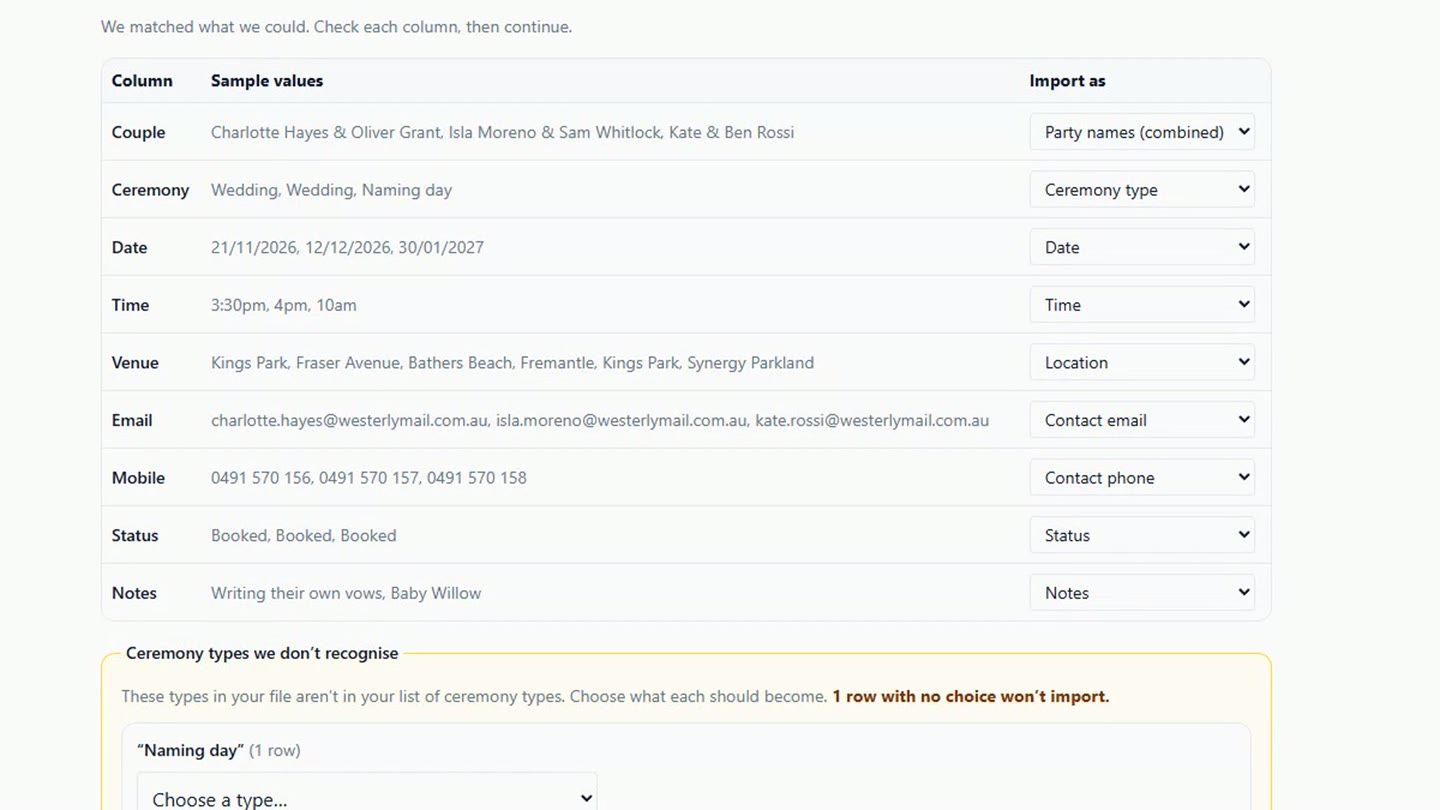
Your columns, each with a sample from your file, and the ones it knows already matched. -
If it meets a ceremony type it doesn't know, it asks. Naming day isn't one of your ceremony types, so you choose what it becomes: here, a Baby Naming. It asks which way round your dates go, too.
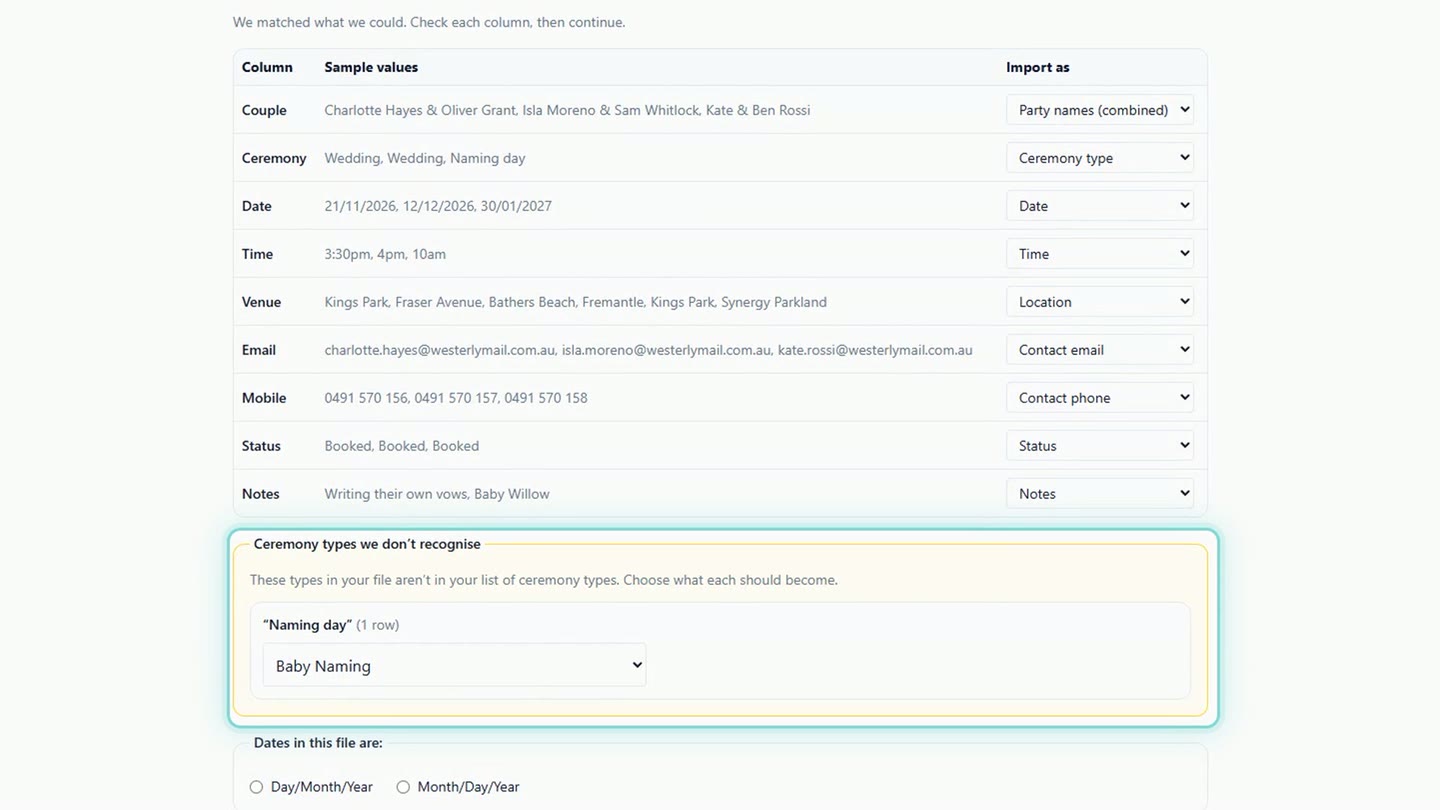
A ceremony type it doesn't know, and the date order. -
Before a single row is saved, you see them all: which ones are bookings, which are enquiries, and anything it can't bring in.
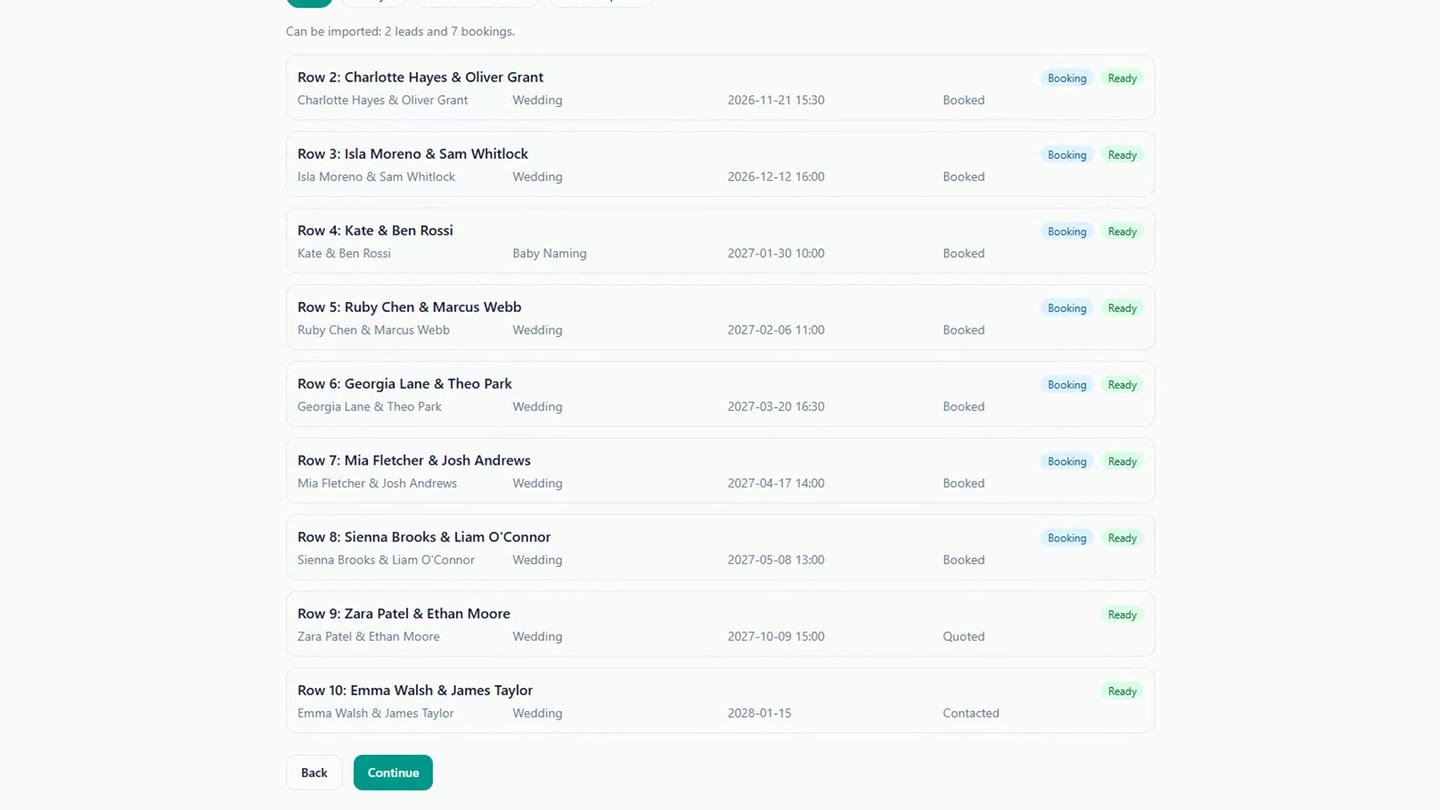
Every row, before a single one is saved. -
The import sends your couples no emails, and creates no quotes. Tick one box and every booking gets the workflow and documents it would normally get. Then press Import.
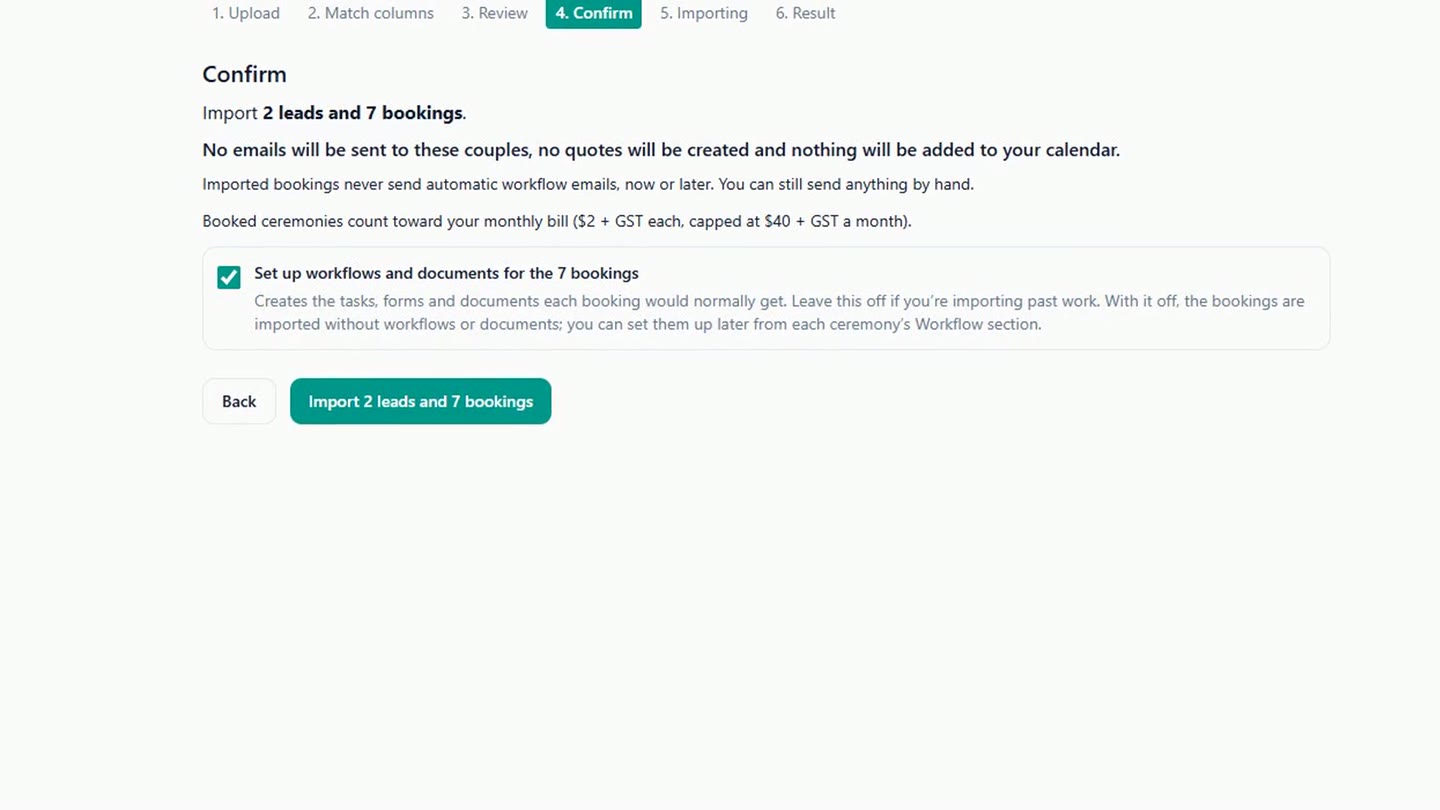
The confirm step, with workflows and documents ticked. -
And there's your year: every booking sits on Ceremonies on its own date.
-
Open one, and its workflow is already laid out from the wedding date: the script, the questionnaire, final payment. The emails wait for you. An imported booking never sends its workflow emails on its own, so you choose what goes out.
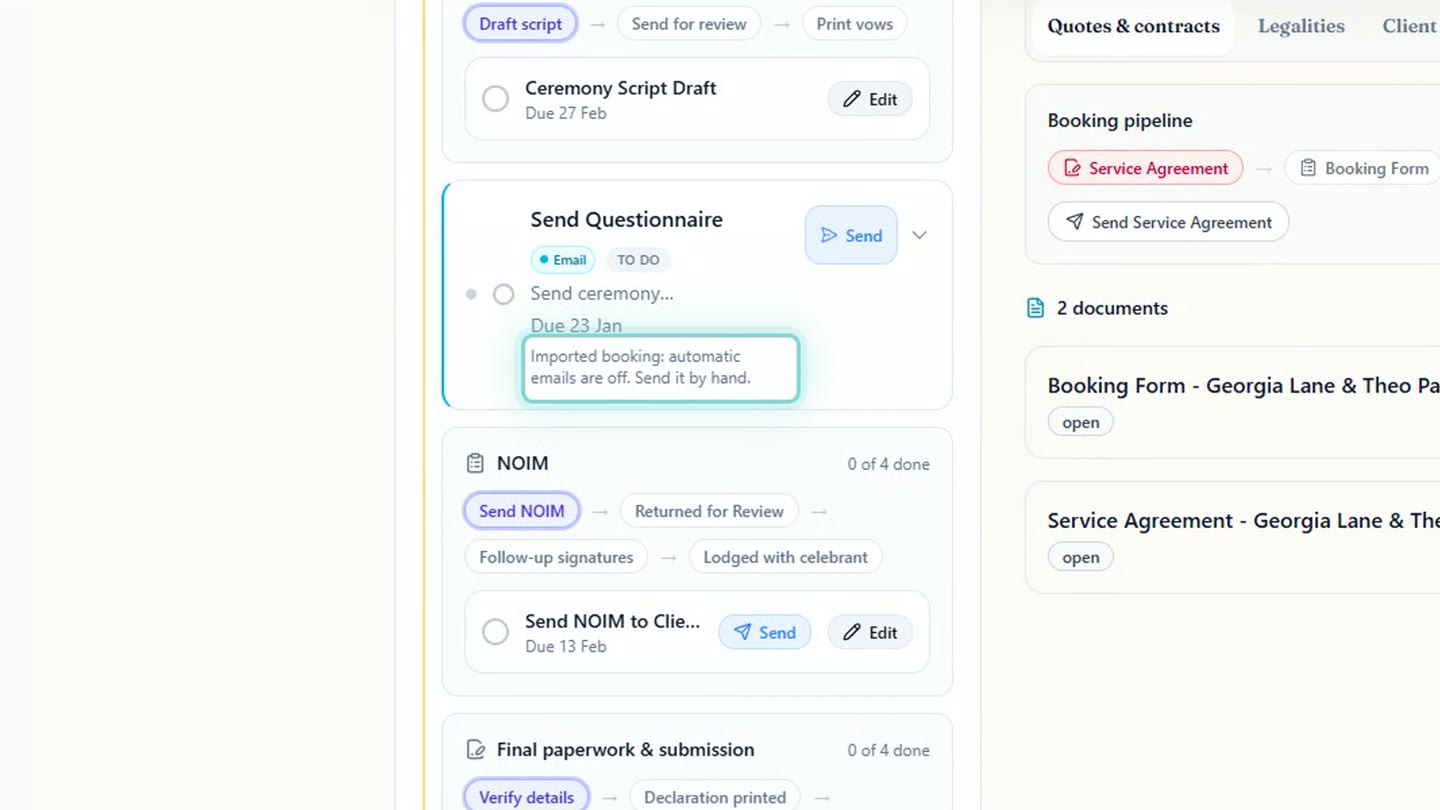
An imported booking's workflow, with its emails waiting for you. -
The legal paperwork is dated too, starting with the Notice of Intended Marriage.
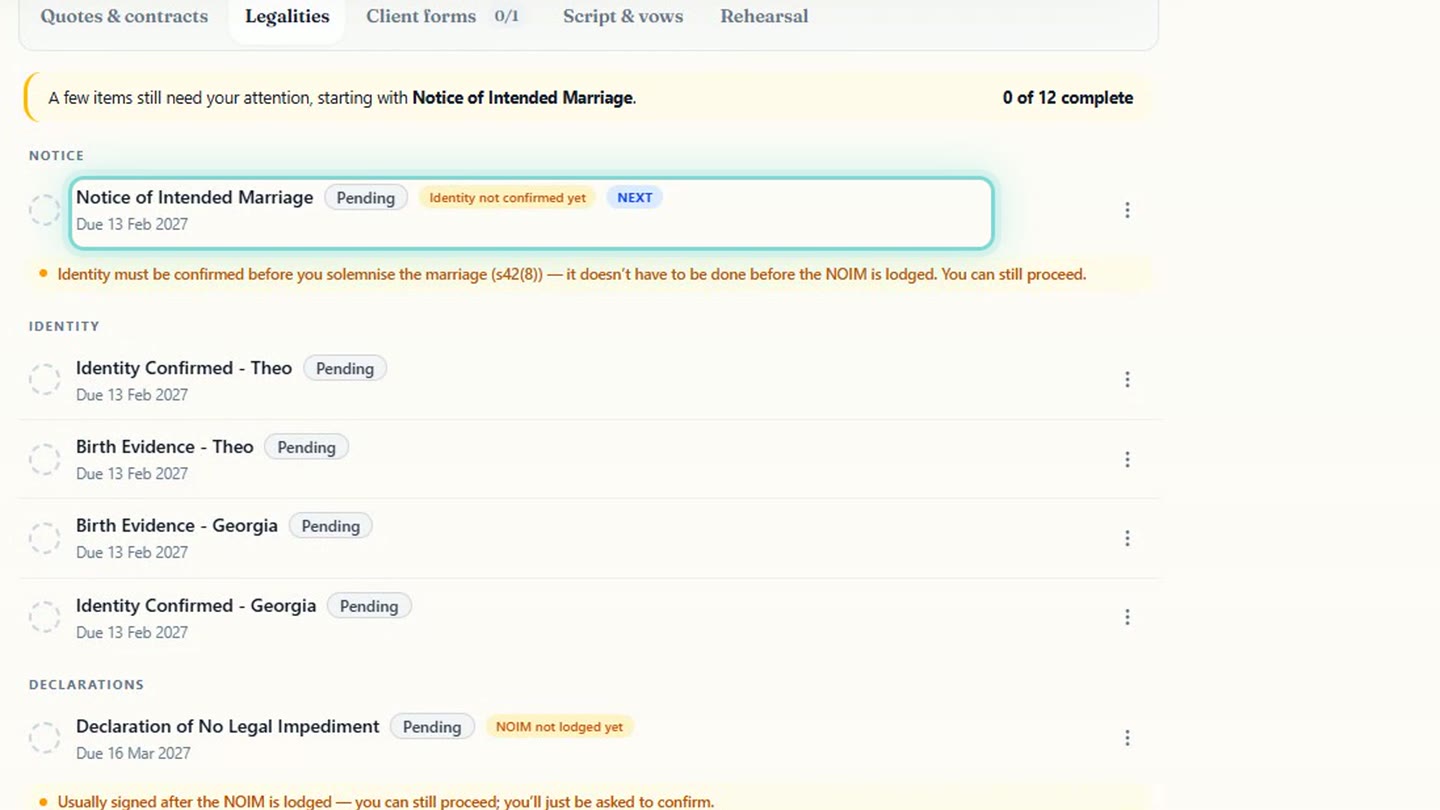
The legal paperwork, dated from the ceremony. -
Your enquiries go to Leads, ready to pick up.
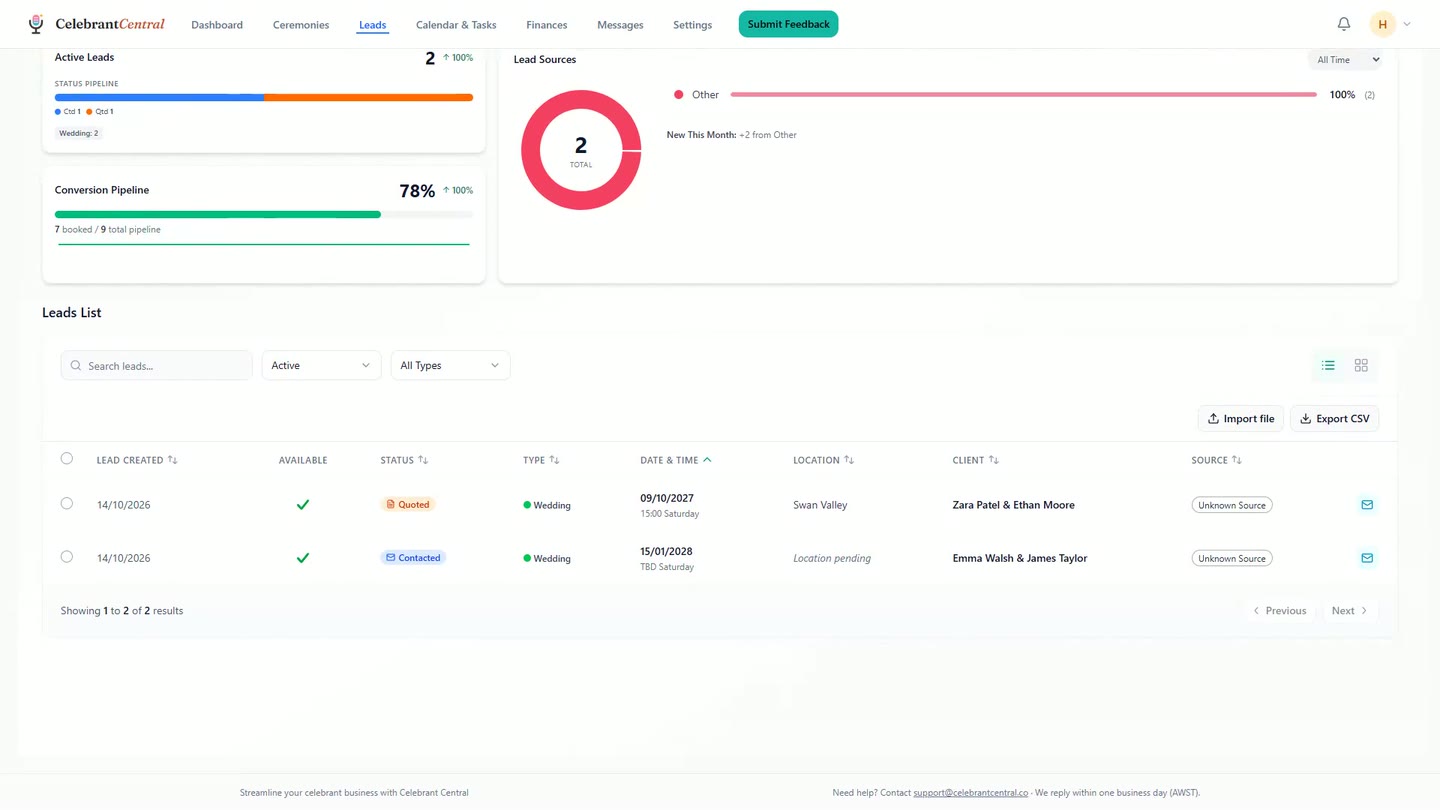
The enquiries, in Leads. -
Rather not do it yourself? Email your spreadsheet to support@celebrantcentral.co and we'll bring your couples across, free.
Chapters
- 0:00Your couples, from a spreadsheet
- 0:05Choose Import and drop your file in
- 0:12It matches the columns it knows
- 0:19A ceremony type it doesn't know, and your dates
- 0:31Every row, before a single one is saved
- 0:38No emails, and no quotes
- 0:42Workflows and documents, with one tick
- 0:53There's your year
- 1:00A workflow laid out from the wedding date
- 1:09The emails wait for you
- 1:16The legal paperwork, dated too
- 1:21Your enquiries, in Leads
- 1:24We'll bring your couples across, free
Full transcript
If your upcoming couples live in a spreadsheet, you can bring them across in one go.
On Ceremonies, choose Import, and drop your file in. Excel or CSV, either works.
Celebrant Central reads your columns and matches the ones it knows: the couple, the date, the venue, the status, even your notes.
If it meets a ceremony type it doesn't know, it asks. Naming day isn't one of your ceremony types, so you choose what it becomes.
It asks which way round your dates go, too.
Before a single row is saved, you see them all: which ones are bookings, which are enquiries, and anything it can't bring in.
The import sends your couples no emails, and creates no quotes.
Tick this, and every booking gets the workflow and documents it would normally get.
Then press Import, and they're in.
And there's your year. Each booking sits on its own date.
Open one, and its workflow is already laid out from the wedding date: the script, the questionnaire, final payment.
The emails wait for you. An imported booking never sends its workflow emails on its own, so you choose what goes out.
The legal paperwork is dated too, starting with the Notice of Intended Marriage.
Your enquiries go to Leads, ready to pick up.
Rather not do it yourself? Send us your spreadsheet, and we'll bring your couples across, free.
Built for and by Australian marriage celebrants.
Start with the couples you already have
Bring your upcoming couples across in one go. Tick one box and every booking arrives with its workflow already dated. Free until the end of next month. No card needed.
Start free →