Running every ceremony
How workflows and due dates work in Celebrant Central
Set your workflow up once, and every new booking starts from it with its dates already worked out. When a couple move their wedding, everything dated from the ceremony moves with it, and a date you set by hand stays where you put it.
This film follows a wedding workflow in the real app. You change a timing and add a step in Workflow Templates, once, and the next booking starts from the updated workflow with its dates already worked out. A ceremony you booked earlier keeps its own dates, and you give it the new step by reloading its workflow. Then you set one date by hand, the couple move their wedding, and everything dated from the ceremony moves with it while your hand-set date holds.
Step by step
-
Every ceremony runs on a workflow, and you set yours up once, in Workflow Templates. The wedding workflow holds the steps from the first enquiry to the thank-you after the day, and each one is dated from something, like the booking or the ceremony itself.
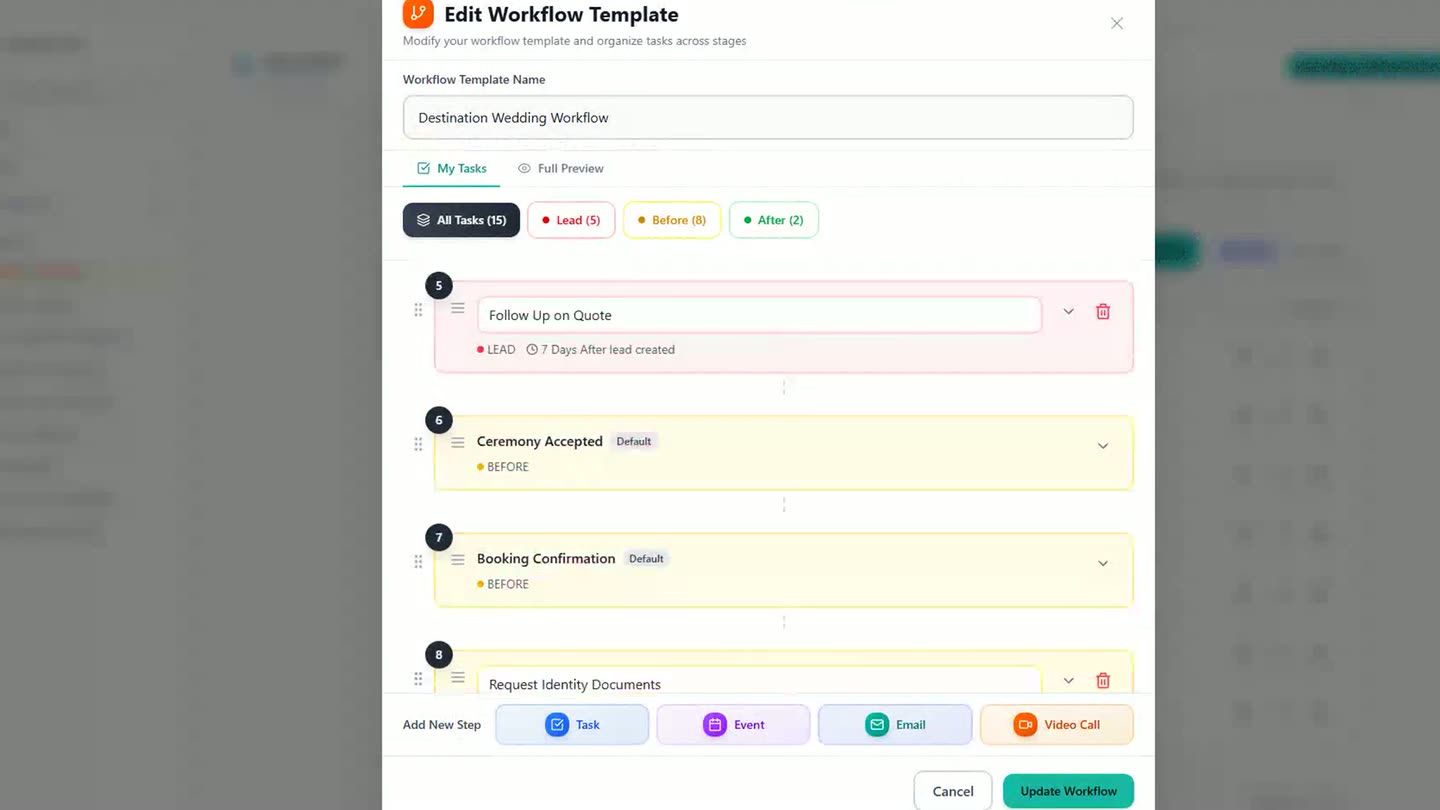
A wedding workflow, open in Workflow Templates. -
Email steps can send themselves when they're due, or wait for you to press send.
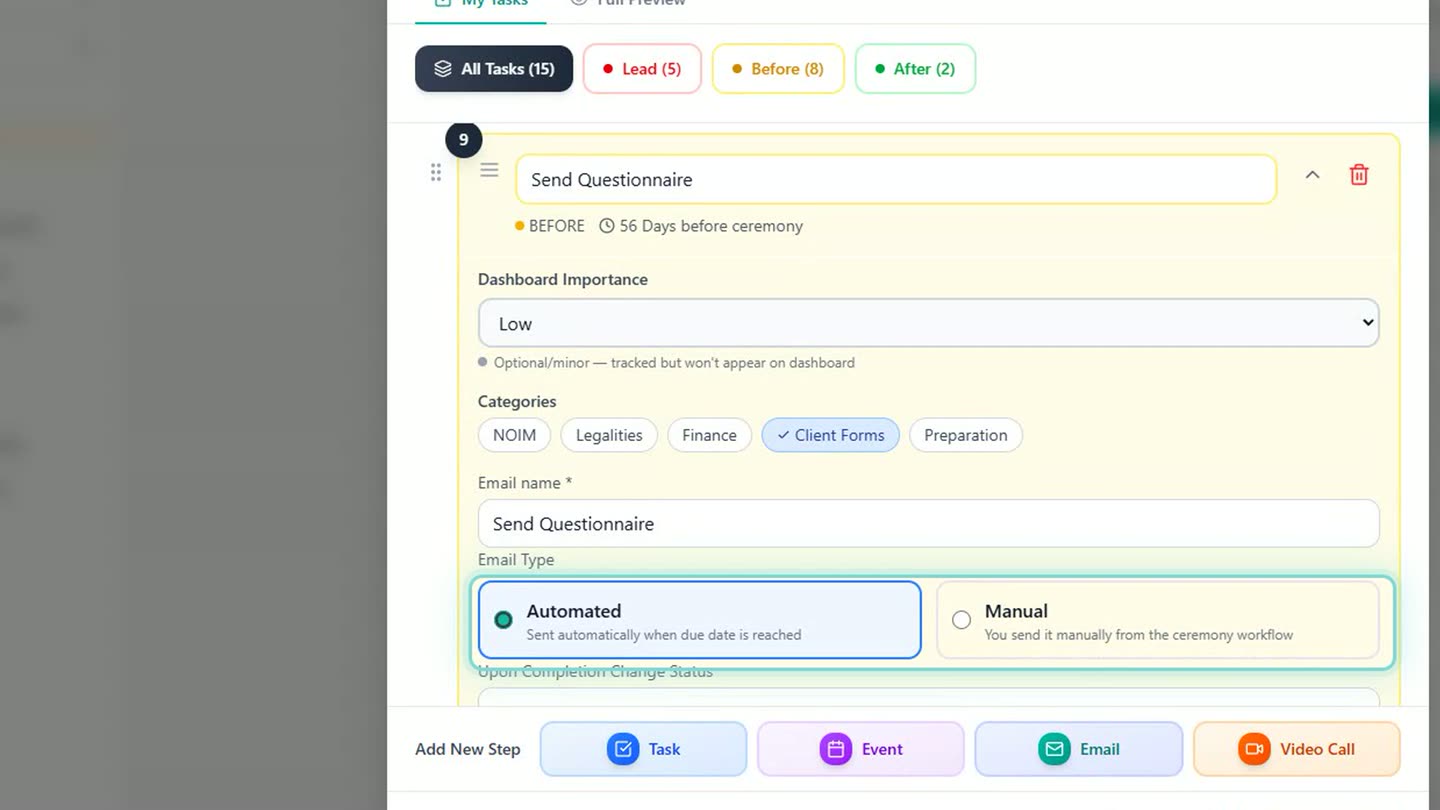
Automated or manual, chosen for each email step. -
Say final payment is due a week before the day and you'd rather have it two weeks out. Open the step and change it there.
-
Add a step of your own, like a check-in call ten days after the couple book. Save the workflow, and every new ceremony that uses it includes the step.
-
Book a new couple and their dates are already worked out: final payment falls two weeks out, and the check-in call follows ten days after booking.
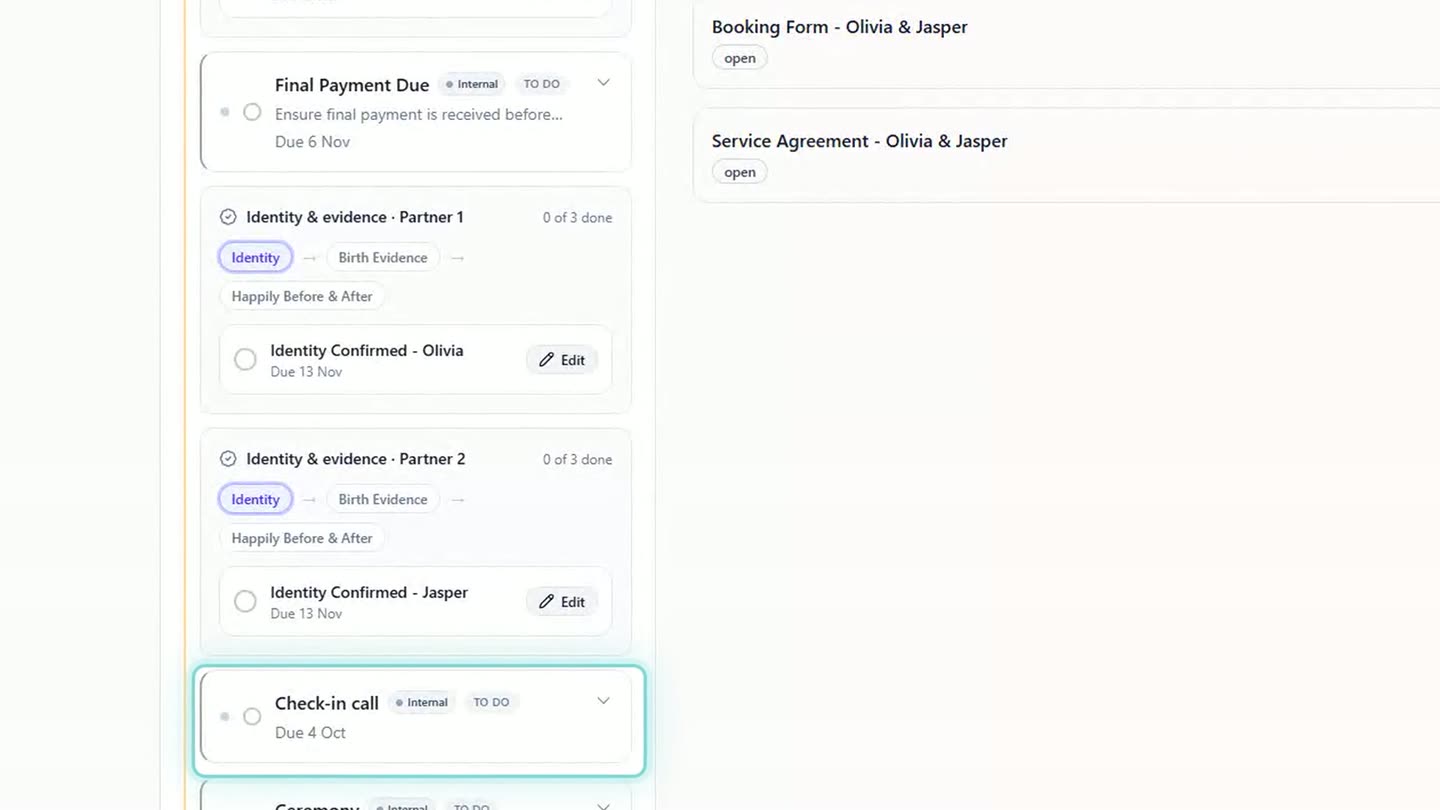
A new booking, with the changed timing and the new step already dated. -
Ceremonies you'd already booked keep their own dates. To give one of them the new step, reload its workflow and choose Add missing tasks, which changes and removes nothing already on the ceremony.
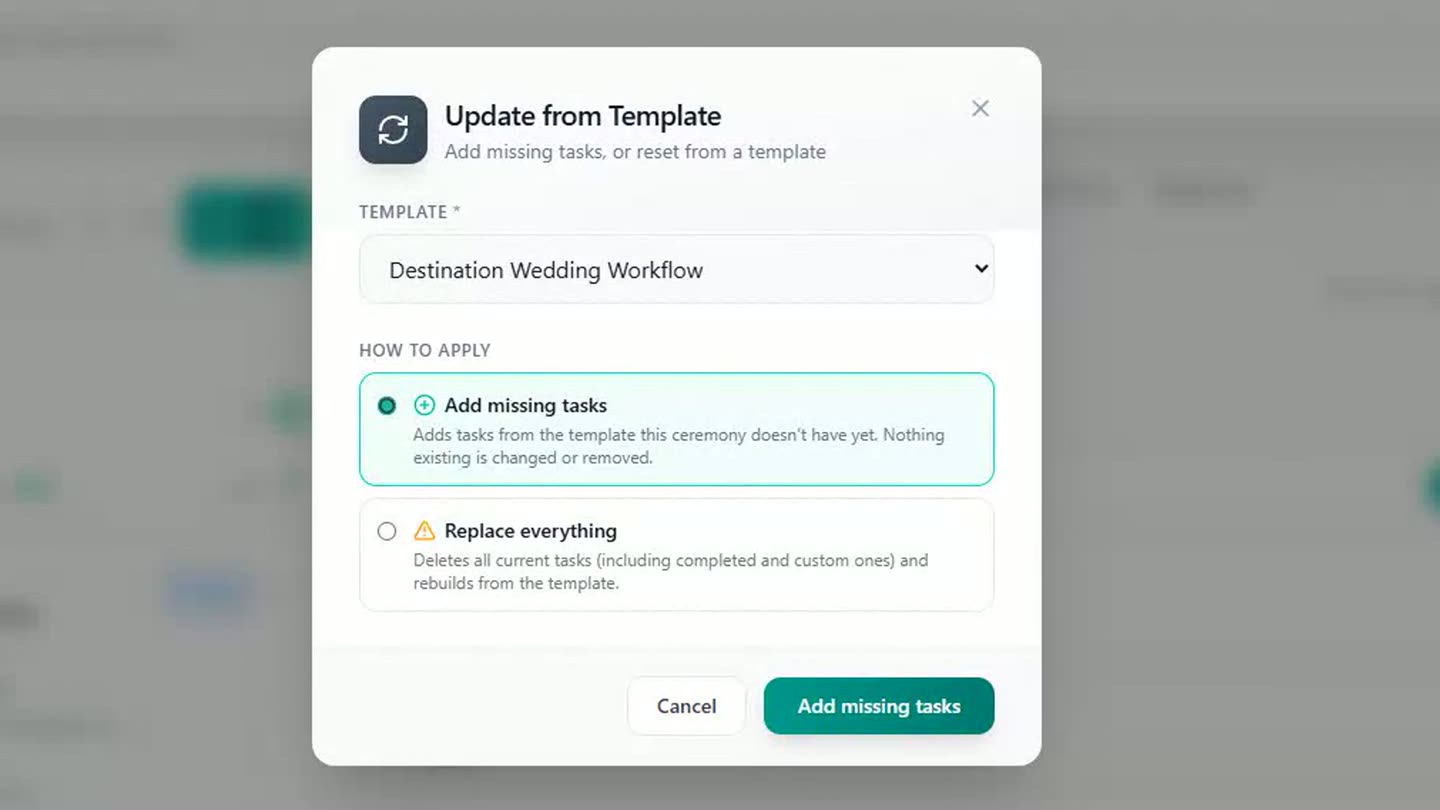
Giving a ceremony that was already booked the new step. -
Want one date to stay put? Open that step on the ceremony and set the date by hand.
-
When a couple move their wedding, change the date once. Everything dated from the ceremony moves with it, and the date you set yourself stays where you put it.
-
The legal paperwork is dated the same way. Those dates live in Due Dates, in the settings section, and the Notice of Intended Marriage is one of them.
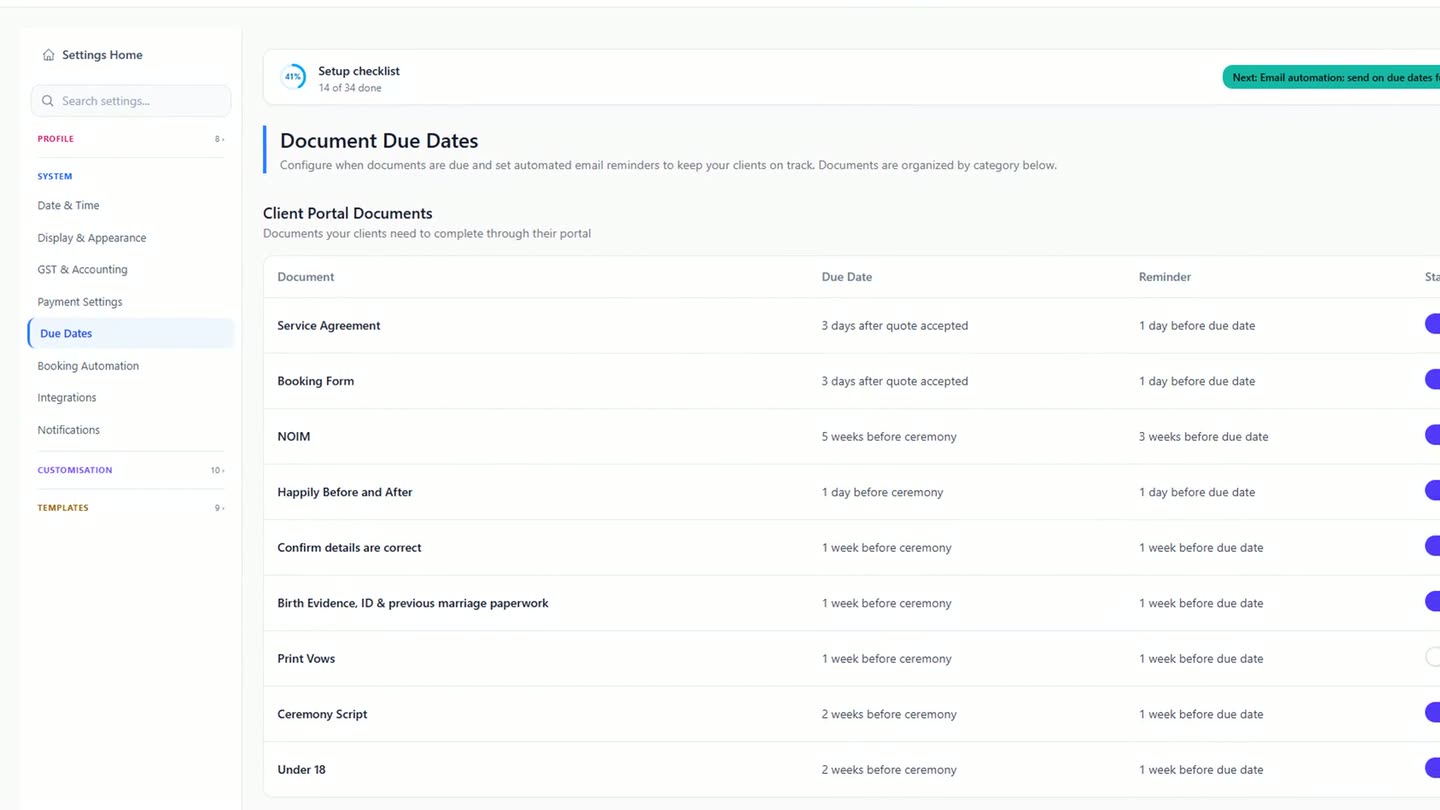
Due Dates, where the legal paperwork's timings live.
Chapters
- 0:00Set your workflow up once, in Workflow Templates
- 0:14Each step is dated from something
- 0:20Email steps that send themselves, or wait for you
- 0:25Changing a timing
- 0:35Adding a step of your own
- 0:45Save it, and every new ceremony includes it
- 0:50A new booking, its dates already worked out
- 1:01Ceremonies you'd already booked
- 1:12One date set by hand
- 1:20A moved wedding, and the date that stays put
- 1:33Due Dates for the legal paperwork
Full transcript
Every ceremony runs on a workflow, and you set yours up once, in Workflow Templates.
Open your wedding workflow. It holds every step, from the first enquiry to the thank-you after the day.
Each step is dated from something, like the booking or the ceremony itself. Email steps can send themselves when they're due, or wait for you to press send.
In this example, final payment is due a week before the day. You'd rather have it two weeks out, so change it here.
Add a step of your own: a check-in call, ten days after they book. Save it, and every new ceremony now includes it.
You book Olivia and Jasper, and their dates are already worked out. Final payment now falls two weeks out. The check-in call follows, ten days after booking.
Ceremonies you'd already booked keep their own dates. To give them your new step, reload the workflow and add what's missing.
Want one date to stay put? You set it by hand.
Then Olivia and Jasper move their wedding a week later, and you change the date. Everything dated from the ceremony moves with it. The date you set yourself stays where you put it.
The legal paperwork is dated the same way, and you'll find those dates in Due Dates, in the settings section.
Set it once, and every new booking follows it.
Built for and by Australian marriage celebrants.
See it on your own ceremonies
Set your workflow once, and every new booking follows it. Free until the end of next month. No card needed.
Start free →