Winning the booking
How the contact form works in Celebrant Central
Built to catch enquiries from your own website, styled in your own colours, embedded with an iframe, a direct link or a line of JavaScript, and landing as a lead in your pipeline the moment someone sends it.
This film follows the Website Enquiry Form from an empty builder to a lead in your pipeline, on one form in the real app. It asks only for what you actually need, is styled in your own colours before you publish it, and goes on your own website with an iframe, a direct link or a line of JavaScript. When a couple sends it, that is the only time anyone types their details: it lands as a lead with the date already on it, and how they found you recorded against it.
Step by step
-
Every enquiry that becomes a booking starts the same way: someone reaching out through a form on your own website. The Website Enquiry Form is the one built to take it, already published and ready to use.
-
In the form builder you ask only for what you actually need: their names, how to reach them by email and phone, the date, the kind of ceremony and where it is happening.
-
Then make it look like you. The Form Styling editor lets you set your own colours before anything goes live, so what a couple sees looks like your own business, not a generic form.
-
Put it where people already find you: embed it with an iframe, a direct link, or one line of JavaScript on your own website.
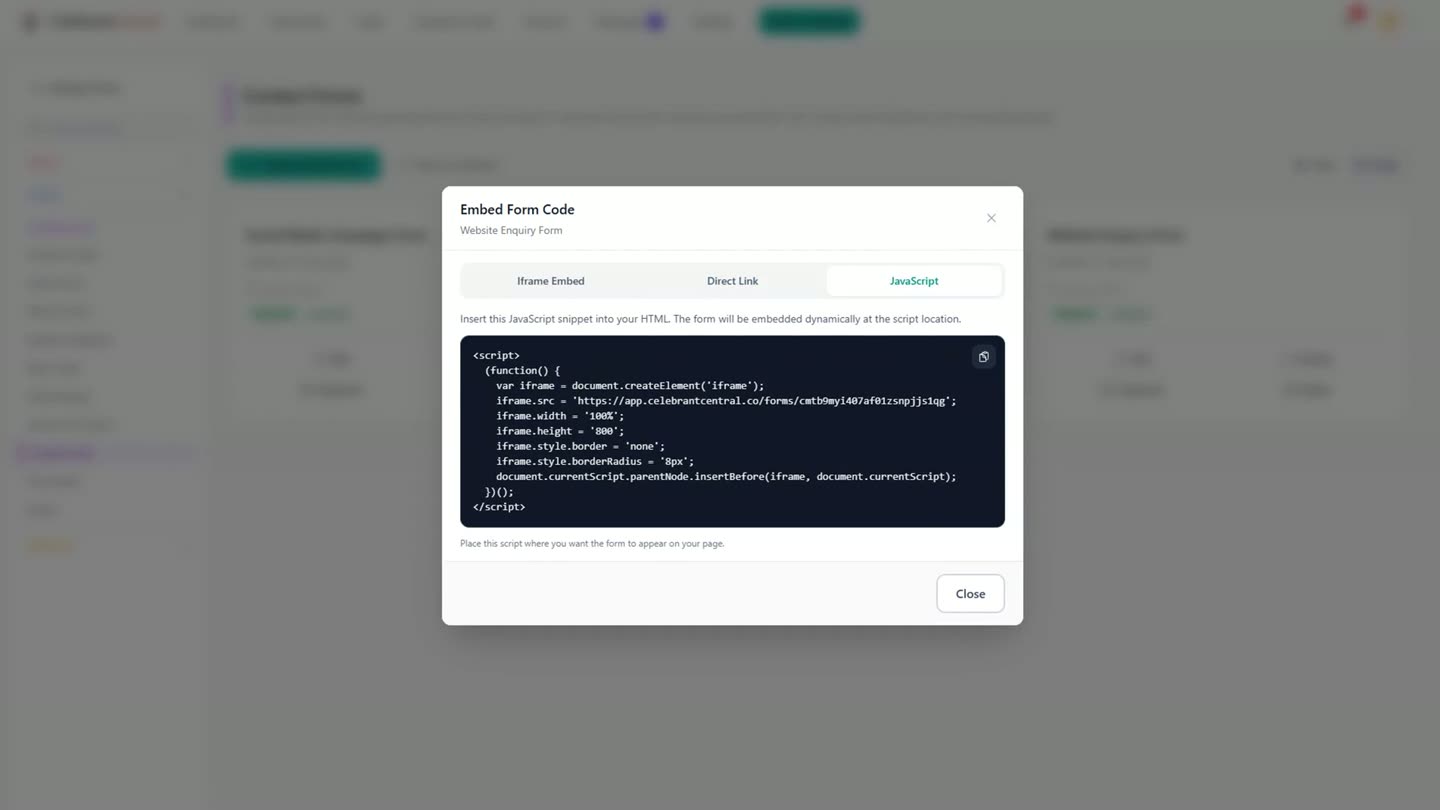
The three ways to put the form on your own site: iframe, direct link, or one line of JavaScript. -
This is what a couple sees when they land on it: your banner, your colours, and only the questions you asked for, including their names, how to contact them, and how they heard about you.
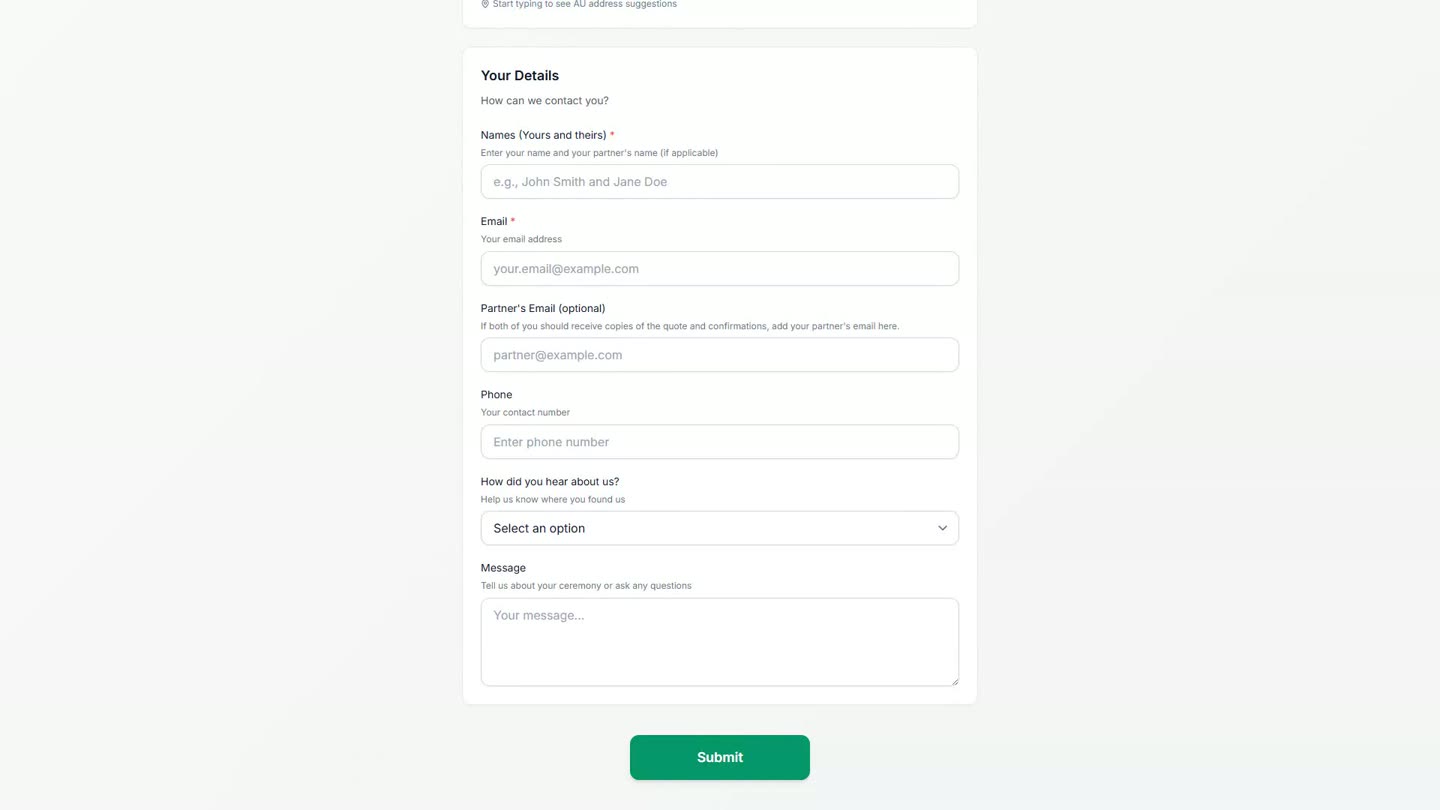
The public form, with only the questions the celebrant chose to ask. -
They send it, and that is the only time anyone has to type any of it.
-
It arrives as a lead in the pipeline with the date already on it, and how they found you recorded against it, so you can see what is actually working.
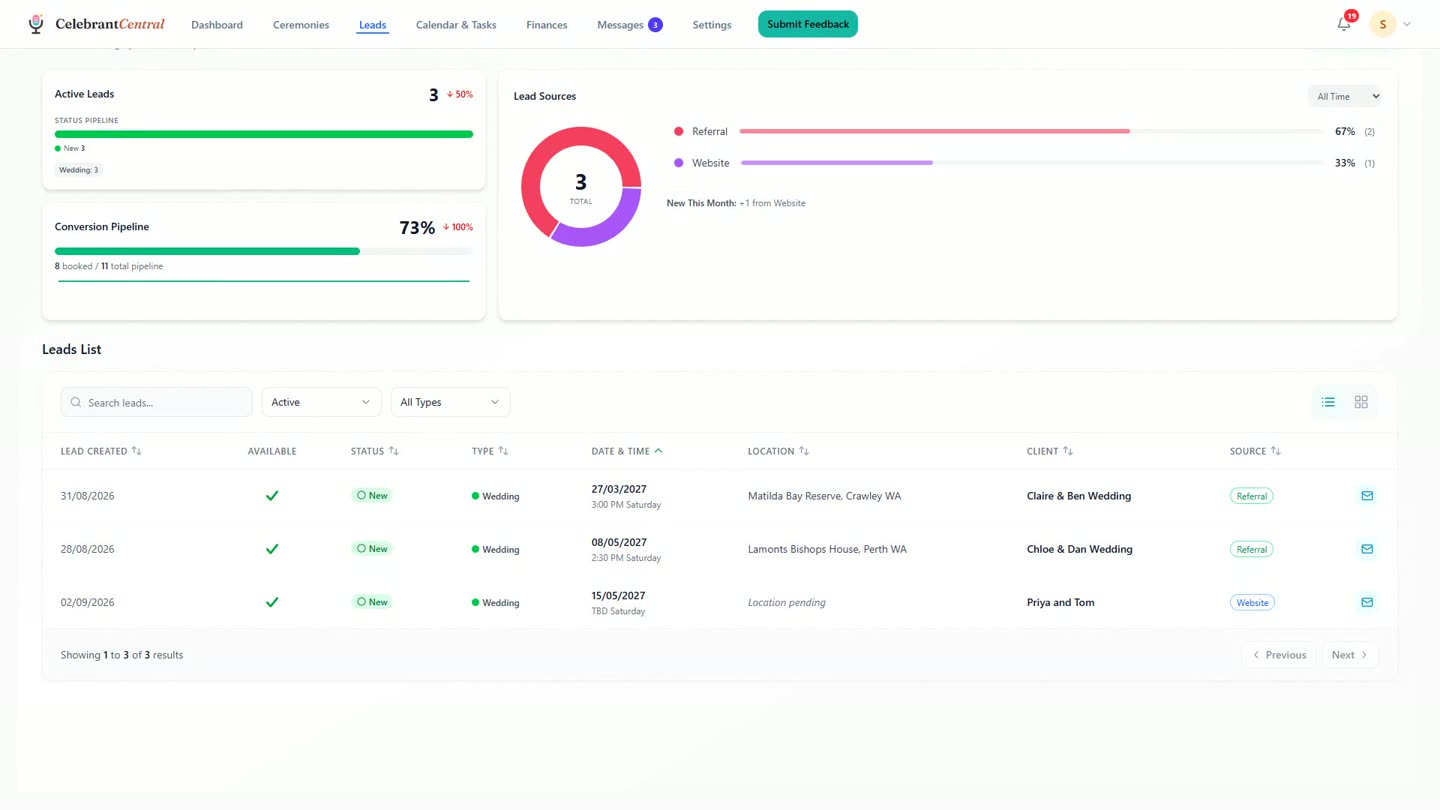
The new enquiry lands as a lead, with its source already recorded on the Lead Sources panel.
Chapters
- 0:00Every booking starts as an enquiry
- 0:05The form that takes it
- 0:08Asking for what you actually need
- 0:19Make it look like you
- 0:22Put it where people already find you
- 0:29What the couple sees
- 0:37Sent, and it arrives as a lead
- 0:47How they found you, on the record
- 0:58Sign-off
Full transcript
Every booking starts as an enquiry from someone reaching out. This is the form that takes it.
Ask for what you actually need. Their names, and how to reach them. The date, the kind of ceremony, and where.
Then make it look like you. And put it where people already find you. On your own website, in one line of code.
This is what they see. Your banner, your colours, and only the questions you asked for.
They send it, and that is the only time anyone types it. It arrives as a lead, in the pipeline, with the day already on it.
And how they found you is on the record, so you can see what is working.
One form, on your own site, doing the typing for you.
Built for and by Australian marriage celebrants.
Try it on your own website
One form, styled in your own colours, catching every enquiry as a lead. Free until the end of next month. No card needed.
Start free →