Winning the booking
How quote templates work in Celebrant Central
Price your services and extras once, build the template around them, and every quote after that arrives branded, with the invoice, the service agreement and the booking form already lined up behind it.
This film follows a quote template in Celebrant Central from a blank builder to a finished quote, on one ceremony record in the real app. You price your services and extras once, then build a reusable quote template around them: a service picked from your catalogue brings its own name, description and price with it, extras go on as options the couple can choose, and your branding is already on the document. From there the template does the admin too: it can raise the invoice itself when the couple accepts, and carry them on to the service agreement (the contract they sign) and the booking form (the intake details they fill in), before it lands in your invoice register with the GST worked out.
Step by step
-
Set your prices once, on the Services & Products settings page: your services, your extras, and the discounts you actually give.
-
Build the quote template itself, starting from one that's completely blank. Give it a name and start with what every wedding includes.
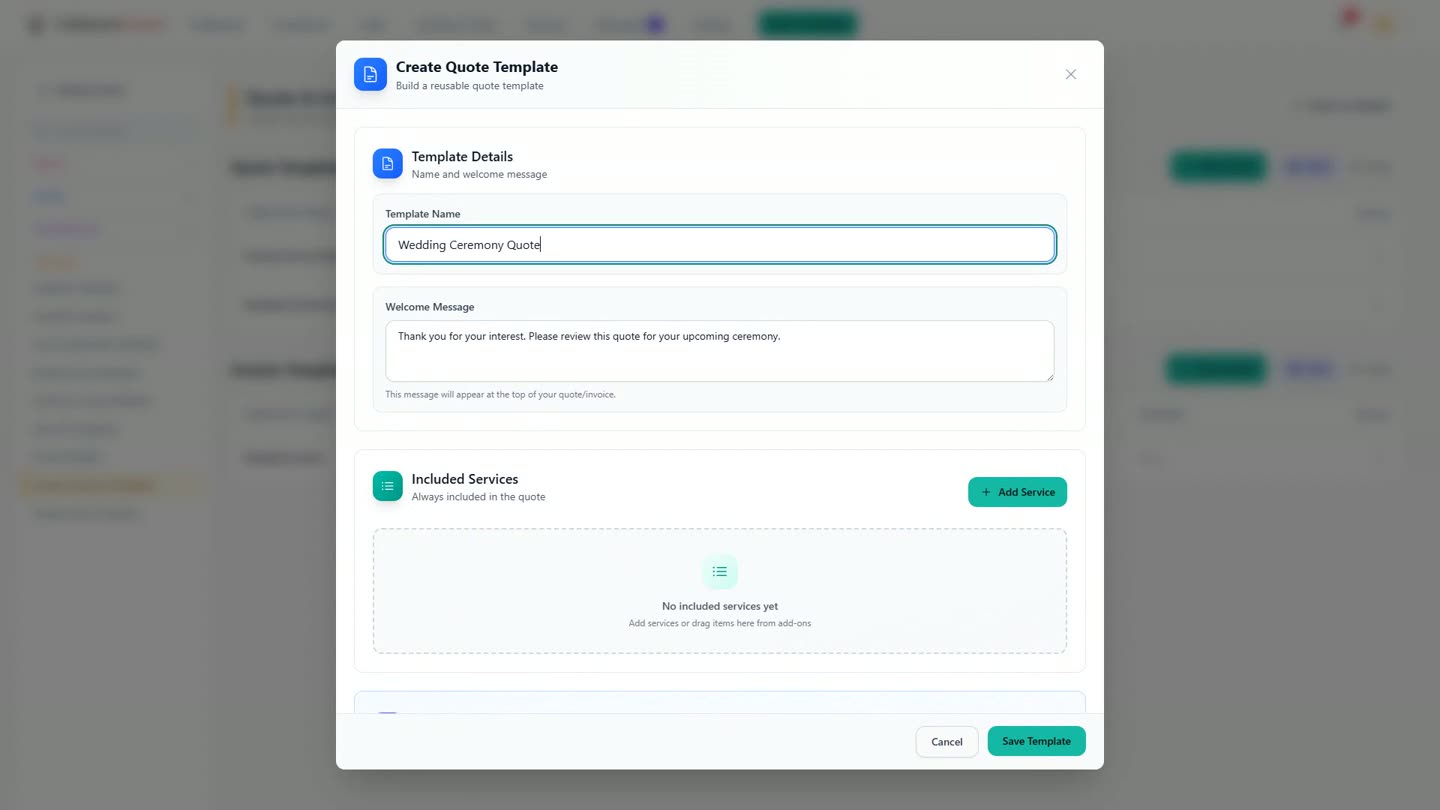
Naming the template as it's being built, from blank. -
Pick a service from your catalogue, and its name, description and price come across with it.
-
The extras go on as options the couple can choose, rather than a decision you have to make for them before you send the quote. Add one of your own if you like, worded the way you'd say it, and the total works itself out.
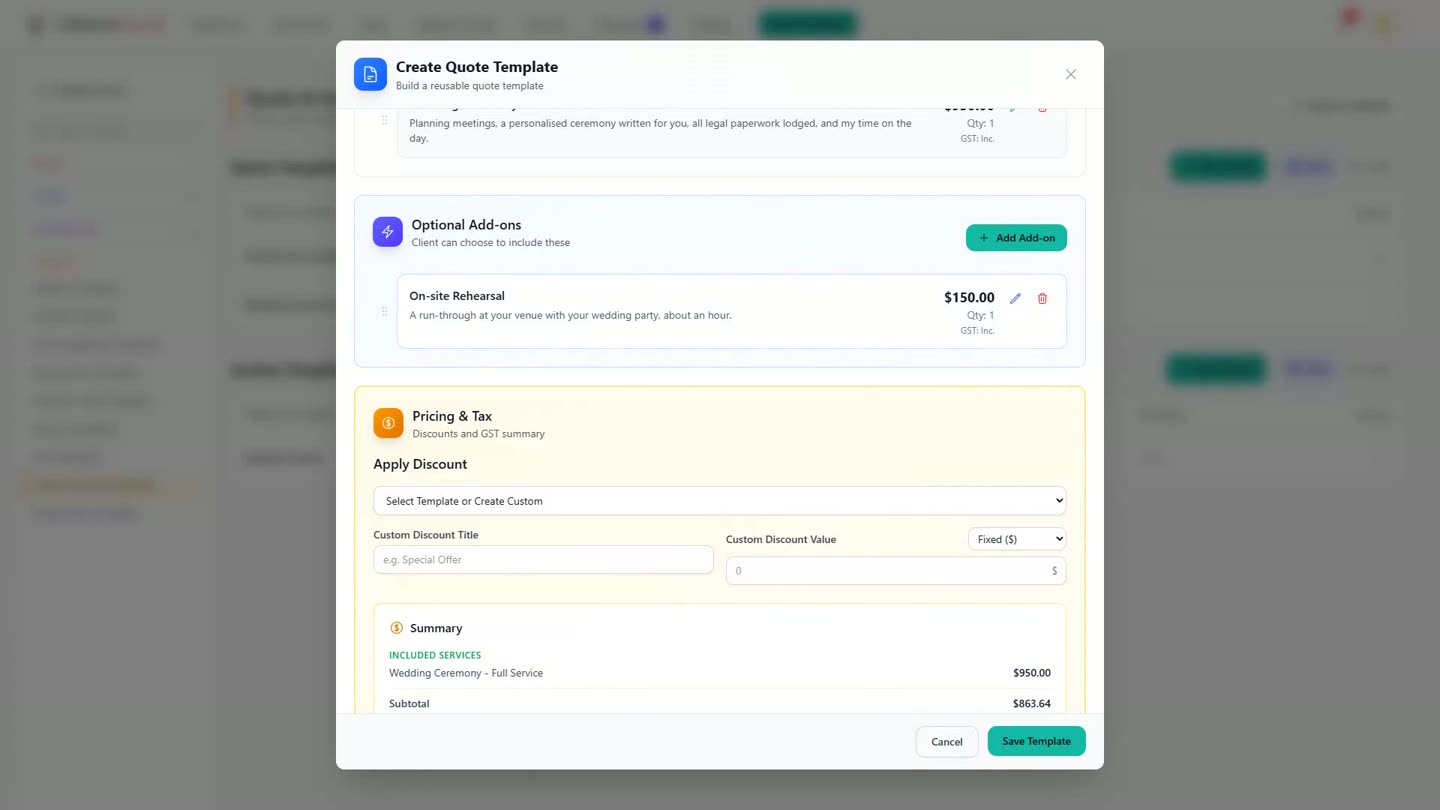
Extras sit as options the couple can choose, not a line you decide for them. -
Your logo and your banner are already on the quote, because you set them once, on the invoice and the service agreement too.
-
Tell the template what should happen once the couple accepts: the invoice can raise itself, and the couple can carry straight on to the service agreement, then the booking form.
-
Star the template for weddings, and from then on every wedding starts here.
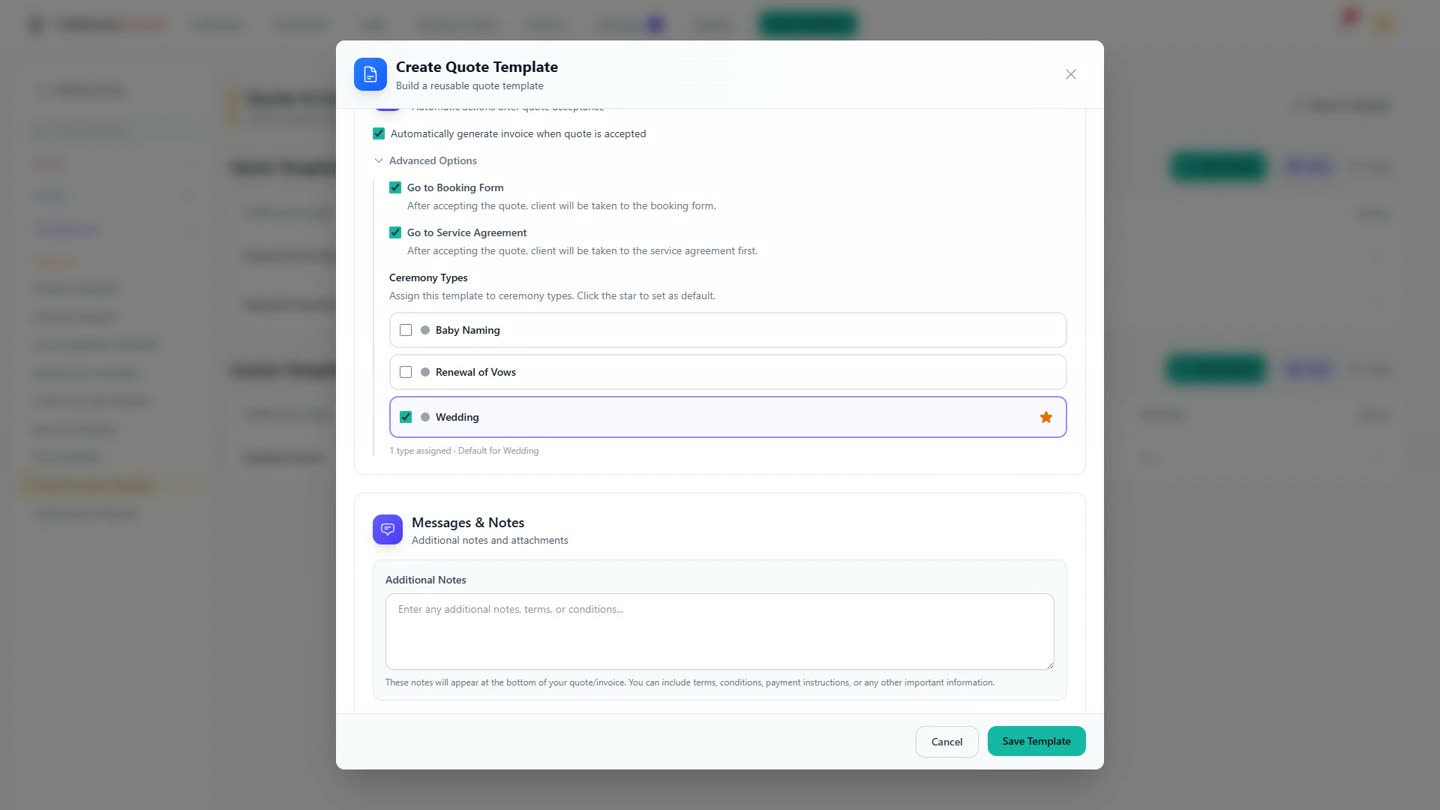
Starred for Wedding: every new wedding quote now starts from this template. -
For a new couple, building the quote takes a few clicks: choose the template you already built, and everything you set up arrives with their names on it. It stays on their ceremony, and in the real app, every invoice lands in one register with the GST already worked out, if you're registered.
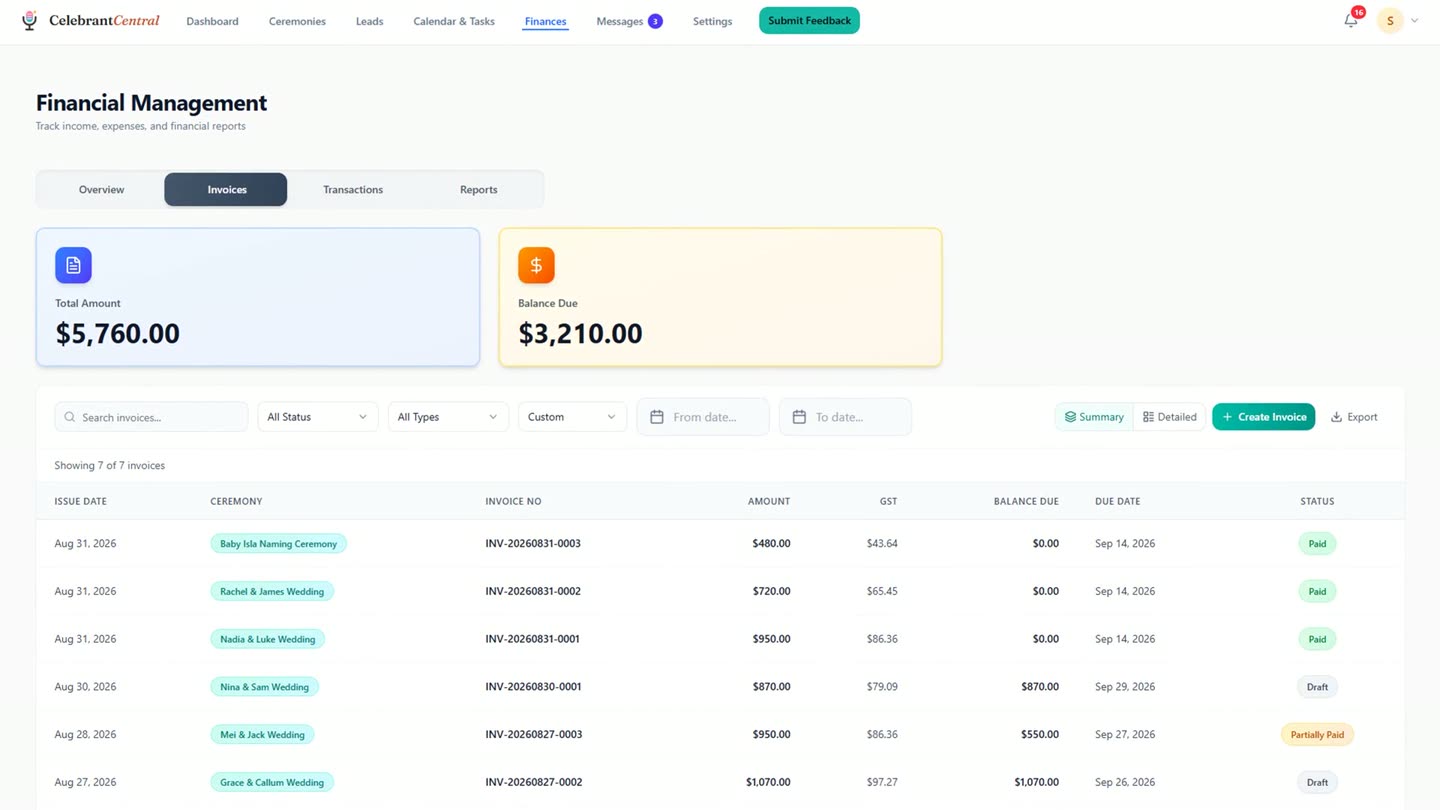
Every invoice lands in one register, GST already worked out.
Chapters
- 0:00Same prices, written out again
- 0:18Building the template from blank
- 0:29A service brings its price with it
- 0:35Extras the couple can choose
- 0:51Branding on every document
- 1:01What happens when they accept
- 1:16Starred as the default for weddings
- 1:44One register, GST worked out
Full transcript
No two weddings are the same. Most quotes nearly are. The same services, the same extras, the same prices written out again.
So set your prices once. Your services, your extras, and the discounts you actually give.
Then build the template itself. This one starts empty. Give it a name, and start with what every wedding includes.
Pick the service. The name, the description and the price come with it. The extras go on as options. Not a decision you have to make for the couple before you send the quote. Add one of your own, and word it the way you would say it. And the total takes care of itself.
Your logo and your banner are already on the quote. Set them once, and they are on the invoice and the agreement too.
Then the part that keeps working after you send the quote. Tick this, and the invoice raises itself when the couple accepts. And the couple carry straight on to the agreement, then the booking form. Star it for weddings. From now on, every one starts here. Save it. That is one template doing four jobs.
For Claire and Ben, the quote takes a few clicks. Choose the template you already built. And everything you set up arrives with their names on it. It stays on their ceremony, in the order the pipeline runs. And every invoice you raise lands in one register, with the GST already worked out if you are registered.
Build the template once, and it carries the invoice, the agreement and the booking form.
Built for and by Australian marriage celebrants.
See it on your own quotes
Price it once, and the quote, the invoice, the agreement and the booking form all come from the same template. Free until the end of next month. No card needed.
Start free →